Existing websites / Plan the change
Website redesign vs rebuild: what can you keep?
Refresh a sound site when content and presentation need work. Consider a rebuild when templates, editing or required features need a different foundation. Moving platforms is a separate decision, with its own migration work.

Agree what the labels actually include.
Agencies use “refresh,” “redesign” and “rebuild” differently. Use the proposal's list of retained and replaced parts to compare the work. Here is a practical way to separate the scopes.
| Scope | What changes | What may stay |
|---|---|---|
| Focused refresh | Content, layout, imagery or selected components. | The theme, platform, accounts and working integrations. |
| Frontend or theme rebuild | Templates, navigation, page structure or an interaction. | The platform, domain and backend, subject to compatibility checks. |
| Platform migration | The system running the site, plus the agreed data and workflow transfer. | The domain and useful content; URLs and integrations need a plan. |
A new-looking homepage does not tell you which of these happened. Ask what your team will edit, where the data lives and what gets tested.
Find the problem before choosing the size.
Walk through one important task on a phone and desktop: find a service, understand an offer, configure a product or start a booking. Record the failure and the layer causing it.
- Unclear offer: test content and page hierarchy before changing platforms.
- Awkward mobile layout: check the affected templates and components.
- Slow pages: measure the assets, scripts and server response before attributing it to the whole platform.
- Wrong price or missing selection: inspect the rules and data handoff, not just the button design.
- Impossible to maintain: document the editing, access or support blocker and what would remove it.
Low traffic alone does not diagnose a design problem. Separate discoverability from what visitors experience after arriving. A full rebuild is not a substitute for understanding either.
Start smaller when the foundation works.
If the site is editable, supported and already handles the required journey, trial the change on one representative page. Rewrite an unclear service page, simplify a navigation choice or correct the mobile template. Agree what a successful result looks like before extending it across the site.
For Shopify, a theme-editor change, custom section and complete theme replacement are different scopes. Our theme customization versus custom theme guide explains that choice. Shopify also recommends duplicating a theme before customizing it; a theme copy is not a complete backup of every store resource.
Choose a wider rebuild when the trial reveals recurring structural problems or a requirement the current foundation cannot reasonably support. Record that finding rather than describing the site only as “dated.”
CARBON.DEPT / Shopify
Separate browsing from configuration.
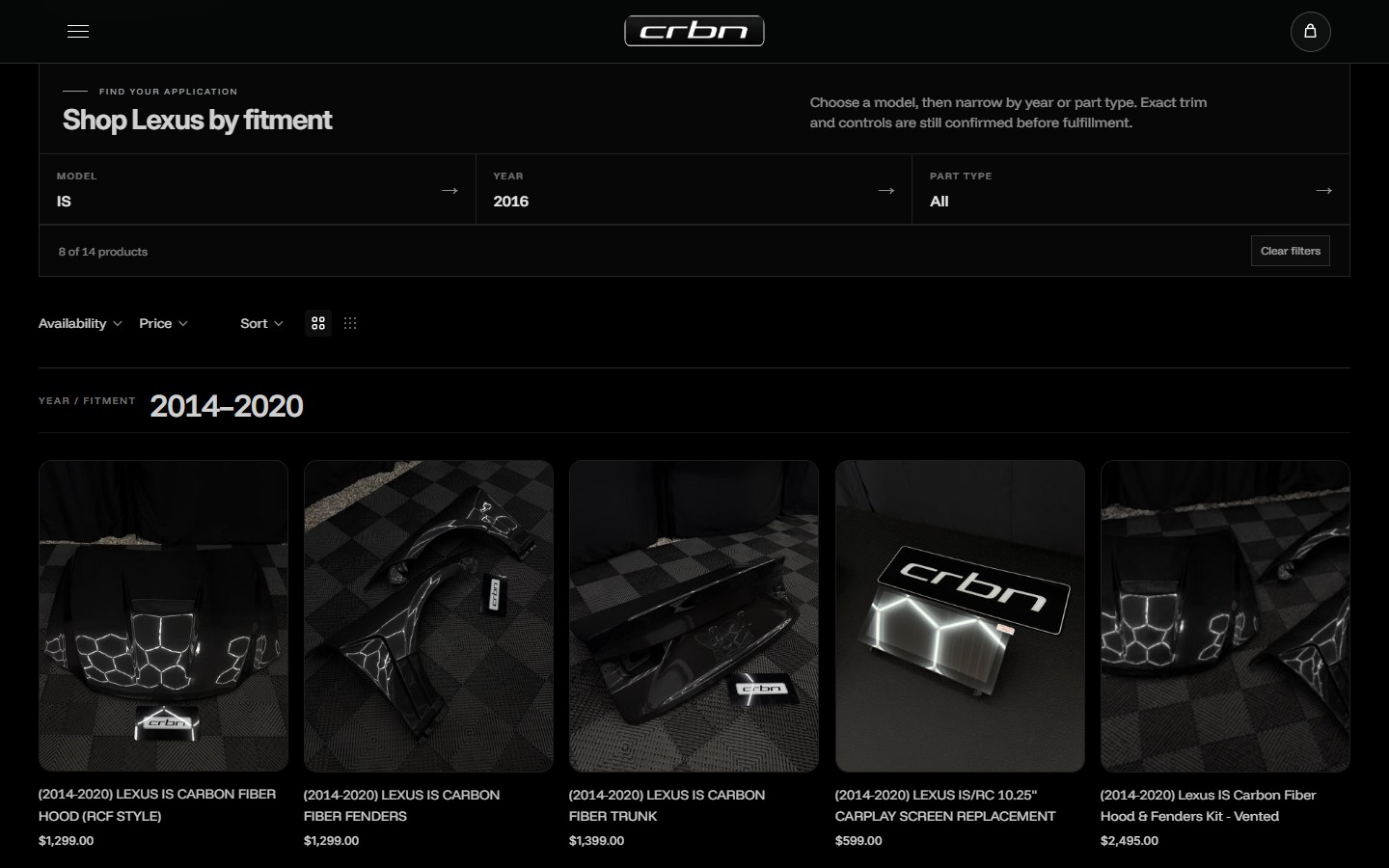
CRBN's vehicle-led catalog helps a shopper find an application. The steering-wheel configuration then presents choices for that product. They belong to the same storefront, but they are different pieces to scope and test.
If discovery is the problem, examine the vehicle records, filters and result page. If choices behave incorrectly, examine the configuration rules and selected-state handoff. Neither diagnosis by itself establishes that the commerce platform must move.
See the CRBN project and our vehicle-fitment filtering guide. These completed features illustrate scope boundaries; they are not a before-and-after migration benchmark.

Write down what must stay.
Turn “keep what works” into an inventory. For every retained part, name the owner and the check that will establish it still works after the change.
- Content and URLs
- List useful landing pages, product and service information, images and downloads. Mark URLs that should remain and those that need a new destination.
- Accounts and records
- Identify the domain, store, payment provider and booking account. Confirm where customer, order or appointment records remain; do not assume a design export transfers them.
- Connected behavior
- Document booking links, forms, inventory feeds, artwork uploads and pricing rules. Give each an expected result and a person who can verify it.
- Editing and support
- Record what the business must be able to update after handover, who owns access and which ongoing work is included.
Canario demonstrates another boundary: a custom service-selection website connected to Wix booking. Our guide to retaining Wix Bookings during a redesign explains what needs checking when a working backend stays.
Canario / What stays behind the design
Keep the calendar. Rework the selection.
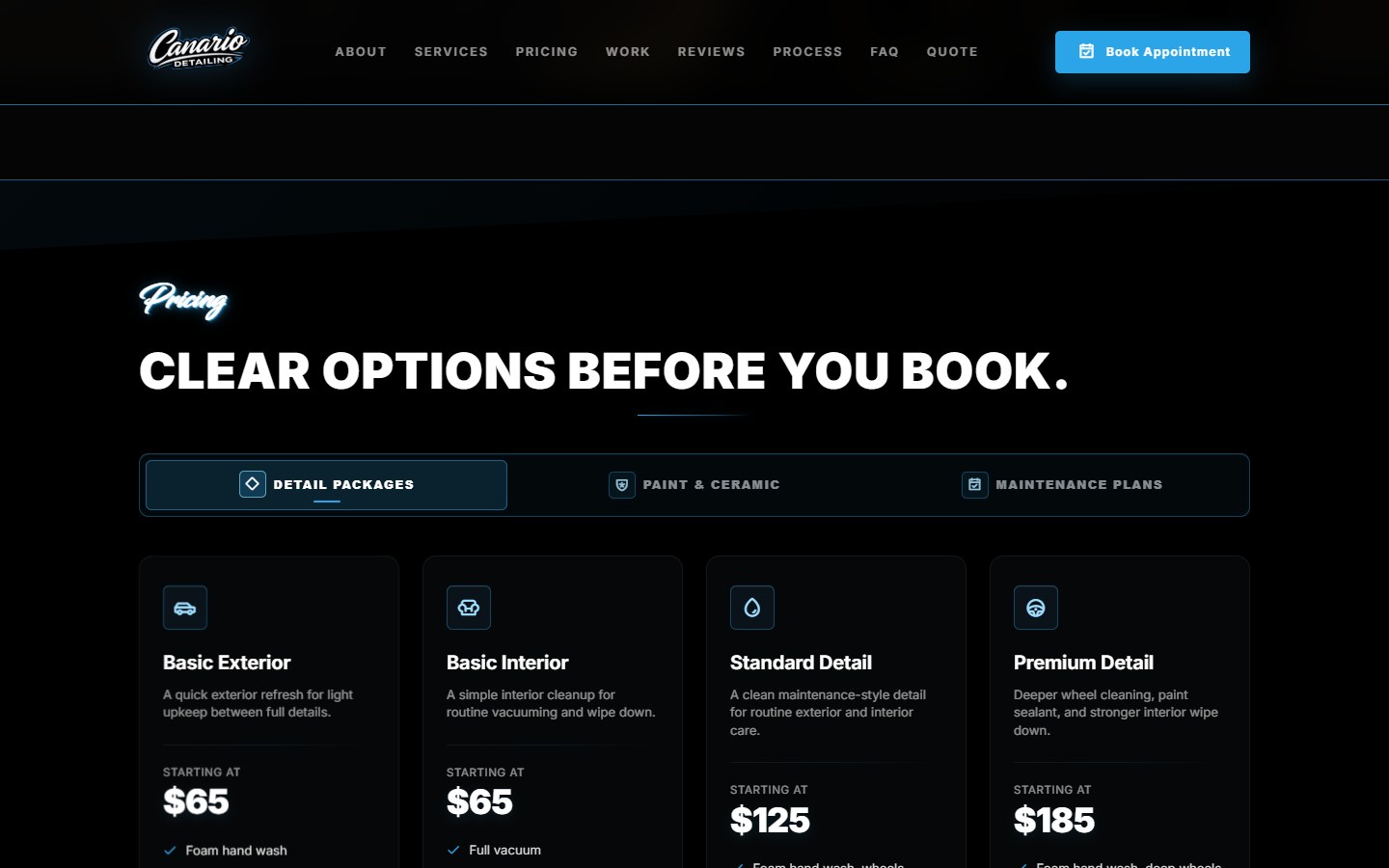
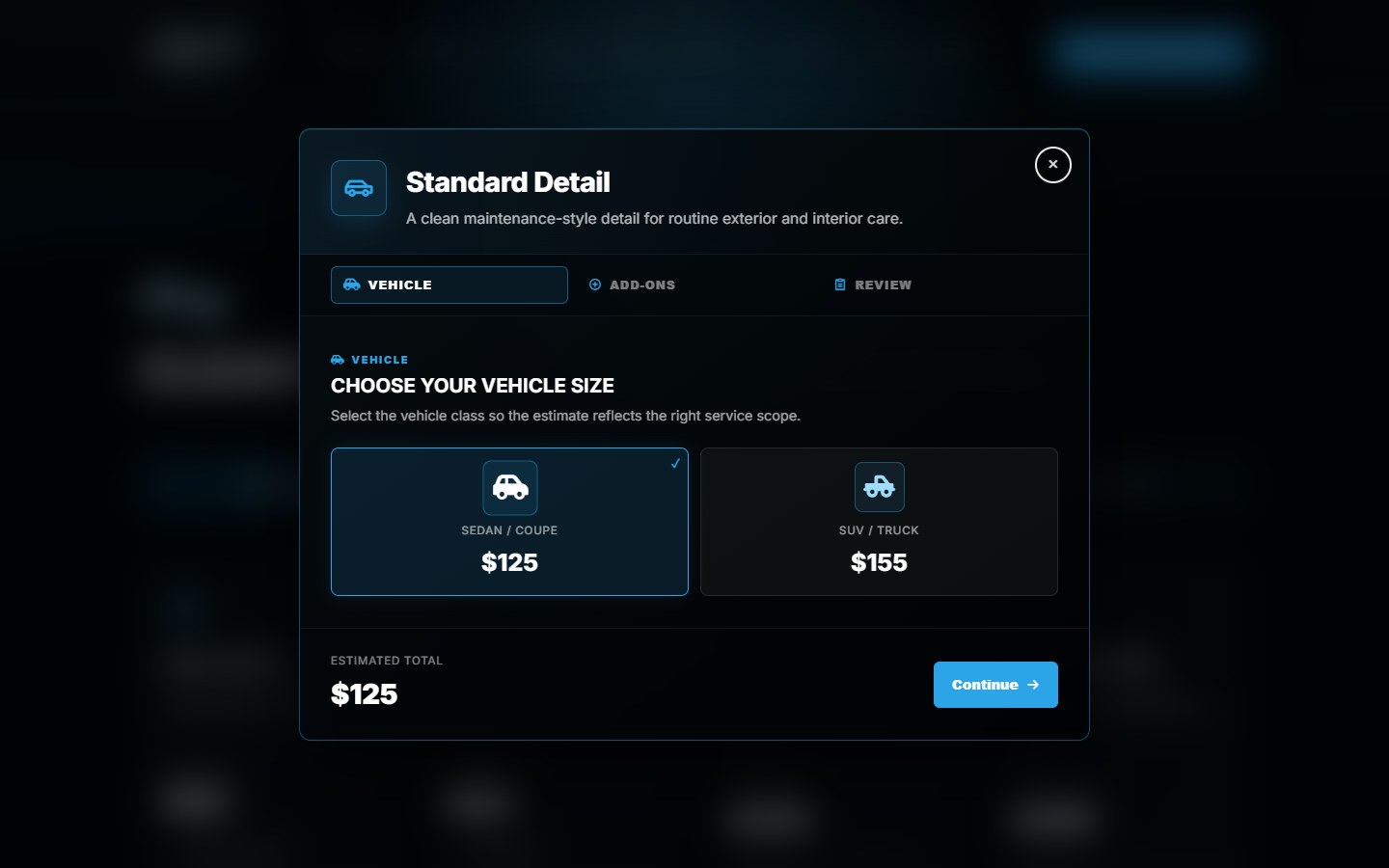
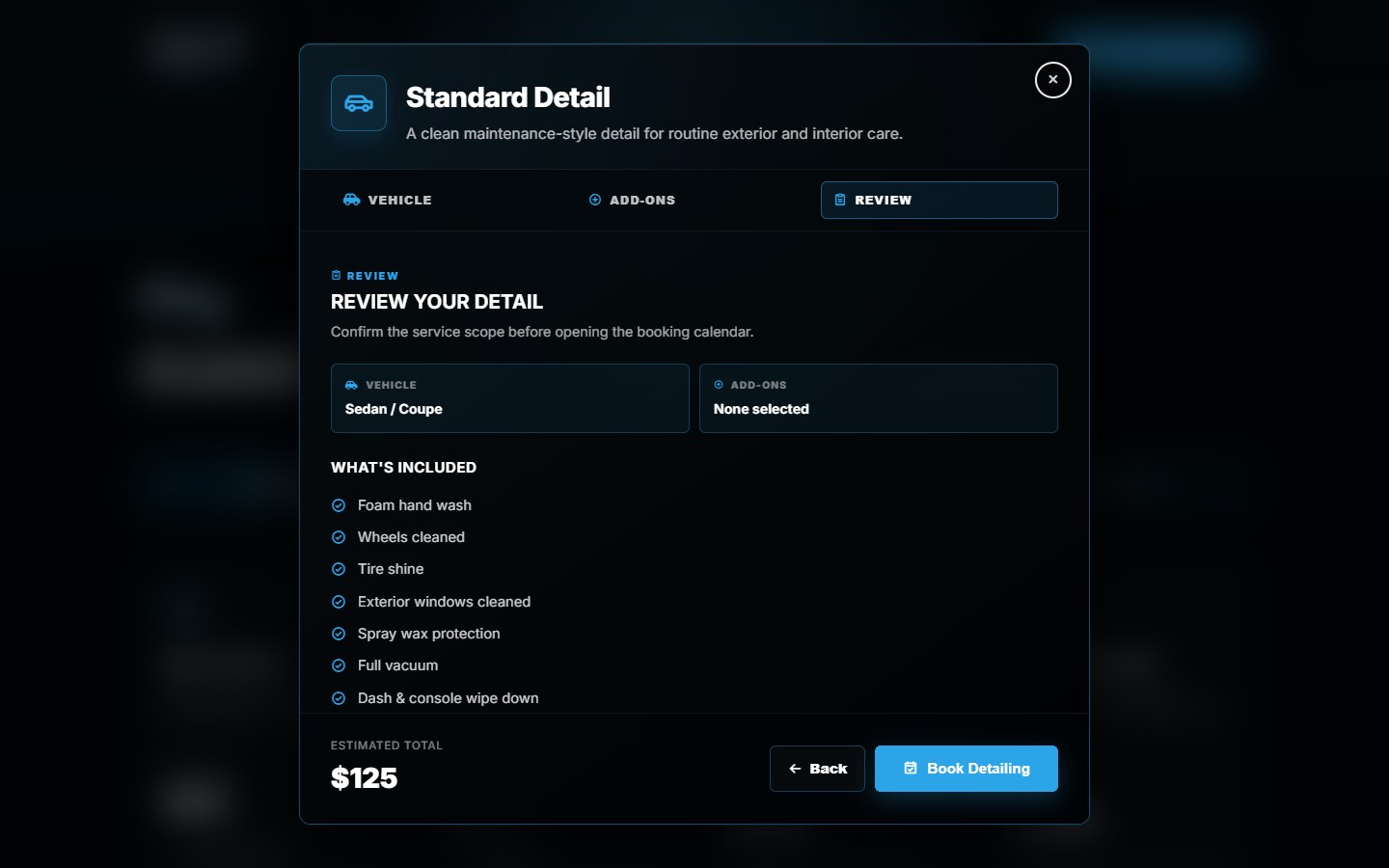
Canario's package, vehicle and review screens show why a redesign scope should name the retained system. The customer-facing selection is custom; Wix remains responsible for availability and final booking confirmation.
For a similar project, make the acceptance test specific: select a service and vehicle, check the estimate, then confirm the intended booking service opens. Keeping the same backend does not remove the need to test that route.
A new frontend need not mean a new platform.
A frontend rebuild can retain the domain and platform. A platform migration can also retain the domain, while changing page paths, available extensions and operating workflows. Ask which of these are in the quote.
When URLs change, Google's site-move guidance covers mapping old URLs to their new destinations and monitoring the move. Google separately documents hosting changes without visible URL changes. Neither is proof that a particular redesign will preserve rankings.
Keep the full launch procedure on the project plan. Our redesign SEO checklist covers that stage, including useful pages and necessary redirects.
Ask for a keep, change and verify brief.
- Keep: name the domain, accounts, records, content and working features that stay.
- Change: identify the pages, templates, systems or rules being replaced, with explicit exclusions.
- Verify: describe one complete customer journey and its expected data, price and destination.
- Launch and recover: agree the release window, checks, responsible people and recovery plan. Include how new orders or bookings will be reconciled if a rollback is needed.
Use this brief to compare quotes. Scope, content readiness, integration work and access affect cost and timing; a package label cannot establish either. Our website redesign service is the next step when you want help reviewing the current site.
Still deciding who should do the work? Compare DIY with professional website help. Once you are comparing proposals, use the hiring checklist.
Before you start
Redesign or rebuild?
Can I redesign a website without rebuilding it?
Often, yes. If the platform, editing tools and customer journey are sound, content, layout or component changes may be enough. Test a representative page and journey before committing to a wider scope. Repeated technical blockers can justify a deeper rebuild.
Does rebuilding mean changing my domain or platform?
No. Replacing a theme or frontend can be done on the same platform and domain. A platform move, domain change and URL change are separate decisions. Have the proposal specify each one rather than assuming they travel together.
Will a redesign affect my SEO?
It can. Changes to content, URLs, internal links and access for search engines can affect visibility. Preserve useful pages, map necessary URL changes and test the launch. Google warns that significant changes can cause ranking fluctuations; a rebuild cannot promise unchanged or improved rankings.
Is a refresh always cheaper than a rebuild?
No universal price rule applies. A tightly scoped refresh changes less, but extensive repairs to a difficult setup can add work. Compare named deliverables, what stays, migration tasks, content work, testing and support using the same requirements.
How often should I rebuild my website?
Age alone is not a sufficient reason. Review whether people can find the right information, complete key tasks and use the site on a phone, and whether your team can maintain it. Rebuild when there is a demonstrated foundation problem or a required change the current setup cannot reasonably support.
Start with the site you have.
Share your current URL, what needs to change and what must keep working.
Sources and scope
Documentation checked October 17, 2026. The scope framework is our practical guidance, not standardized agency terminology. CRBN and Canario are DVS implementations; no traffic, revenue or migration results are claimed.