Website redesign / Booking integrations
Keep Wix Bookings when you redesign
You may be able to improve the website customers see while keeping the booking system your business already uses. Compare a native Wix update, a custom frontend and a complete migration.
Separate the website from the booking operation.
First identify the problem. Is it hard to compare services, choose a package or understand the price? Or does the booking backend fail to support the availability, staff or payment rules you need?
| Approach | What changes | What to review |
|---|---|---|
| Update the Wix site | The existing design, content and supported booking setup. | Whether native components can deliver the required journey. |
| Build a custom frontend | The service selection and presentation before the booking handoff. | How services, estimates, availability and return paths connect. |
| Move booking systems | The backend as well as the customer-facing experience. | Data transfer, existing appointments, payments, reminders and staff workflows. |
Keeping a working booking backend can reduce the scope of a redesign. It still requires checking your account, services and integration method; a custom frontend is not automatically cheaper or simpler.
Check what Wix already supports.
Wix Bookings currently supports service add-ons that can affect price or duration, as well as varied service pricing. Some businesses can meet their requirements through that setup without a separate frontend.
Check the supported service type, payment configuration and add-on behavior against your actual offering. Wix's current add-on documentation explains the conditions. Do not commission custom work solely because an older forum post says add-ons are unavailable.
Custom work becomes relevant when the required presentation, branching choices or connected workflow still needs something different. Write down that missing behavior before requesting a quote.
Canario Detailing / Custom frontend + Wix
Choose the service before choosing the time.
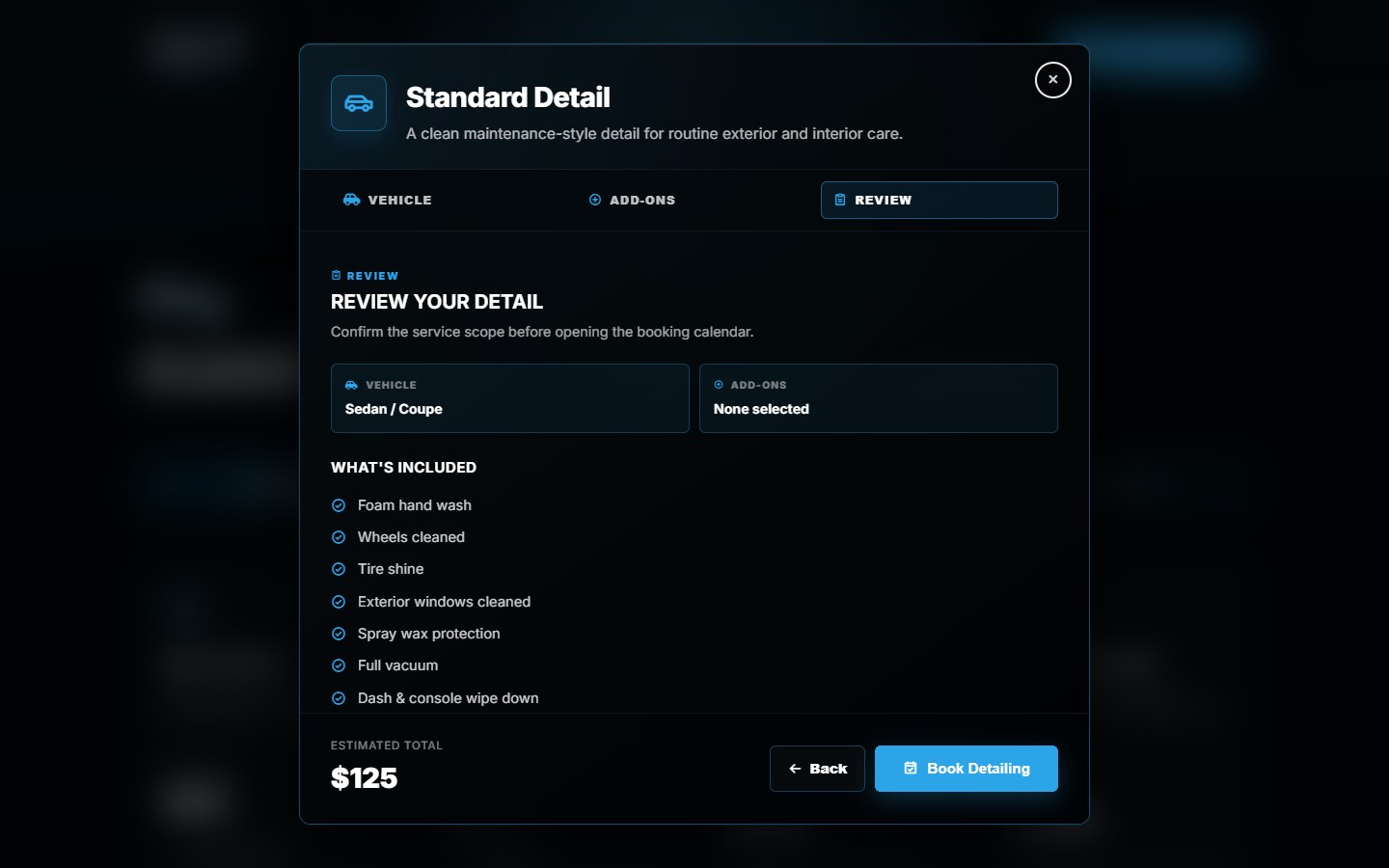
Canario's custom website guides customers through a package, vehicle size, optional extras and a review. The frontend estimate changes with those choices, then the selected service leads into the Wix booking journey.
The website keeps the choices together before the calendar. Wix remains responsible for availability and final confirmation.
Explore the Canario booking flow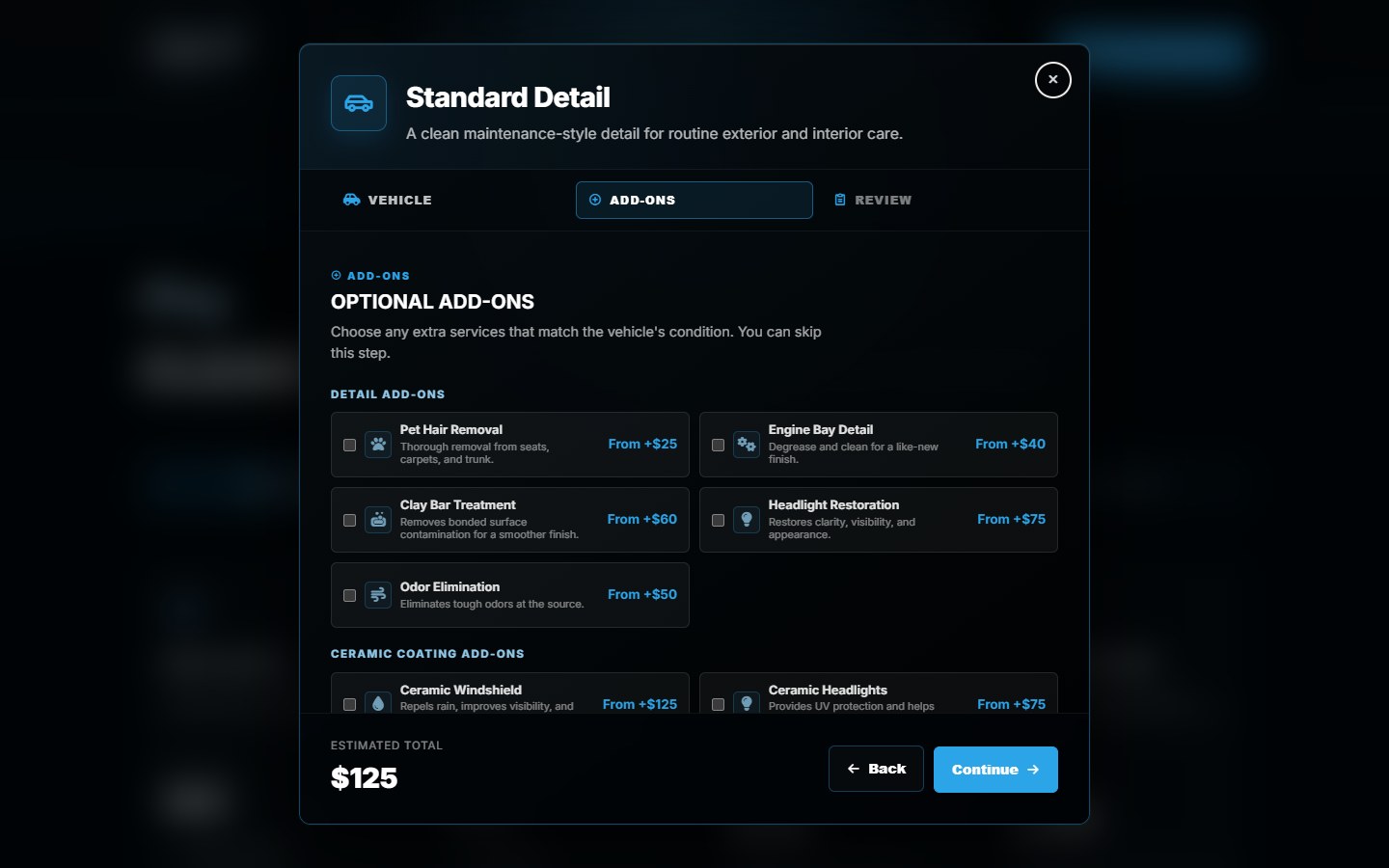
Define what crosses the booking handoff.
A generic calendar link may be enough for a simple site. A connected selector needs a more exact agreement about which service opens, what information carries over and what the customer sees on return.
- Service mapping
- Match each package to the intended booking service. Check what happens when services are renamed or retired.
- Pricing and extras
- Identify where the authoritative price is calculated. Compare the website estimate with the supported booking setup; a URL parameter is not proof of a charged price.
- Availability
- Use the booking system's availability and confirmation behavior. An estimate or selected service does not reserve a time.
- Return path
- Restore the customer's selection if they return to the website, and distinguish returning from booking from successfully completing it.
Wix documents redirecting an external frontend to Wix-hosted pages and back. The supported flow and setup depend on the project. That API documentation is a possible integration path, not a claim that every existing site uses the same implementation.
Test the customer journey and the business side.
- Customer choices: change the package, vehicle or extras and check the review and estimate.
- Booking destination: confirm the intended service opens, including unavailable or retired services.
- Calendar and completion: verify available times and the actual confirmation behavior using an agreed test procedure.
- Business records: confirm which selected details reach the booking record and what the staff sees.
- Return and recovery: test browser back, returning from booking and interrupted journeys on a phone.
Ask separately about deposits, cancellations, refunds, reminders, memberships and customer history. They are operating requirements, not assumed inclusions in a design quote.
Preserve the useful parts of the current site.
Inventory service URLs, important content and existing links before launch. Map necessary redirects, keep the booking destination clear and test the complete route from a search landing page to a service.
Our redesign SEO checklist covers the broader launch checks. If you are also deciding where to sell products, use the Shopify versus Wix comparison for that separate platform decision.
Before you start
Common questions
Can I keep my existing Wix appointments?
Retaining the same booking backend may avoid moving those records, but the project still needs an account and service review. Confirm the existing appointments, staff setup and connected tools before changing domains or publishing a new frontend.
Do service add-ons require a custom website?
No. Wix Bookings offers native service add-ons, subject to its supported service and payment configuration. A custom frontend should address an additional, specific requirement rather than merely recreate an available feature.
Will a custom frontend handle payments and reminders?
Only if that work is included and the selected integration supports it. Identify which system owns payments, confirmation, reminders and changes. A frontend estimate or a click into the calendar is not a successful booking.
Keep the system. Improve the journey.
Share your website, service list and the booking steps customers struggle with. We can scope what should change.
Sources and scope
Wix documentation checked October 17, 2026. Canario screenshots show our original implementation. Service types and integration requirements should be checked for the intended project.
Related: Booking website development.