Website planning / DIY or professional help
Build your own website or hire a web designer?
Use a builder yourself when it meets the job and you can commit the time. Hire help when design, content or a specific customer journey needs work. Custom development is a third scope to consider when the required behavior is still missing.
Three routes, depending on the work.
A website builder is a tool; a designer or developer is someone doing the work. A professional may use the same Wix or Shopify platform you already have. Separate the platform decision from the decision about who will build and maintain the site.
| Approach | Consider it when | Allow for |
|---|---|---|
| DIY website builder | A template and supported features cover the customer journey. | Your content, setup time, subscriptions and testing. |
| Professional help on your platform | The tools fit, but layout, content, setup or execution needs help. | An agreed deliverable, revision scope and handover. |
| Custom development | A tested requirement needs a particular integration or workflow. | Data access, acceptance tests, ongoing support and recovery. |
When is a DIY website enough?
A service business with clear offers, original photos and a simple contact or supported booking route can start by testing a builder. A store with standard products and a theme that supports the required layout can do the same.
Try one complete journey before building every page: find a service or product, understand the price or next step, and contact, book or buy. Check it on a phone. If it works and you can keep the information current, DIY may be a reasonable starting point.
- You have the copy, images and time to assemble the site.
- The editor and supported features cover the required journey.
- You can test links, enquiries, booking or checkout and fix problems.
- Someone will own renewals, updates and customer-facing information.
Include the platform's paid requirements in your comparison. A free draft does not establish the ongoing cost of a live business site.
When should you hire a web designer?
Hire for a specific gap: service pages that are hard to scan, inconsistent layouts, unfinished content, a weak mobile experience or a launch you cannot make time for. Ask whether a focused update on the current platform can solve it.
Wix documents professional design and small-task services. Shopify supports theme-editor changes and code customization. These are examples of keeping the platform while changing who handles the work, not a claim that DVS holds either vendor certification.
Agree who supplies the words and images, which pages or components change, the revision allowance, and what is tested before launch. Once you decide to hire, use our questions to ask a web designer to compare proposals.
Canario Detailing / Booking journey
Keep what works. Scope the missing step.
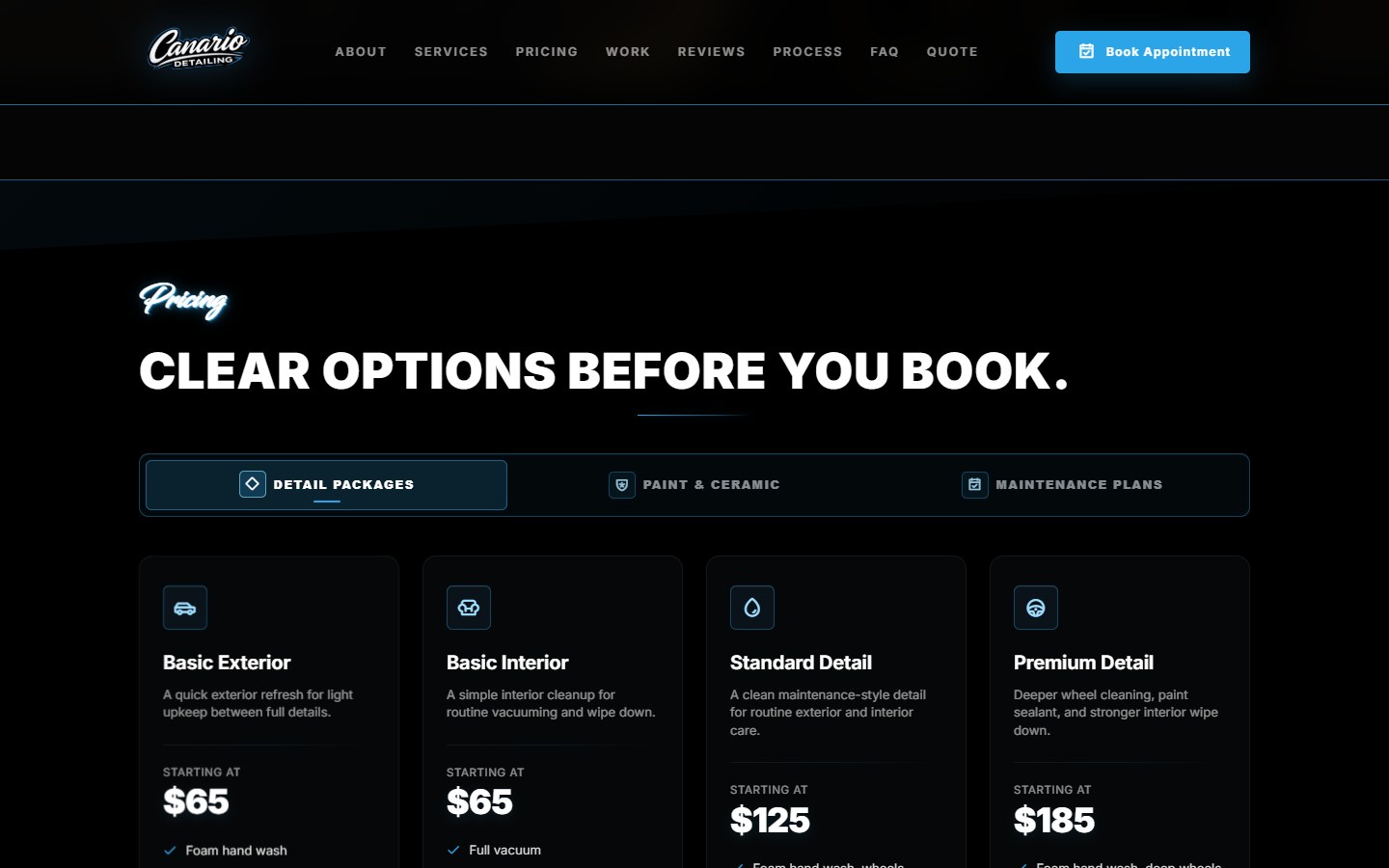
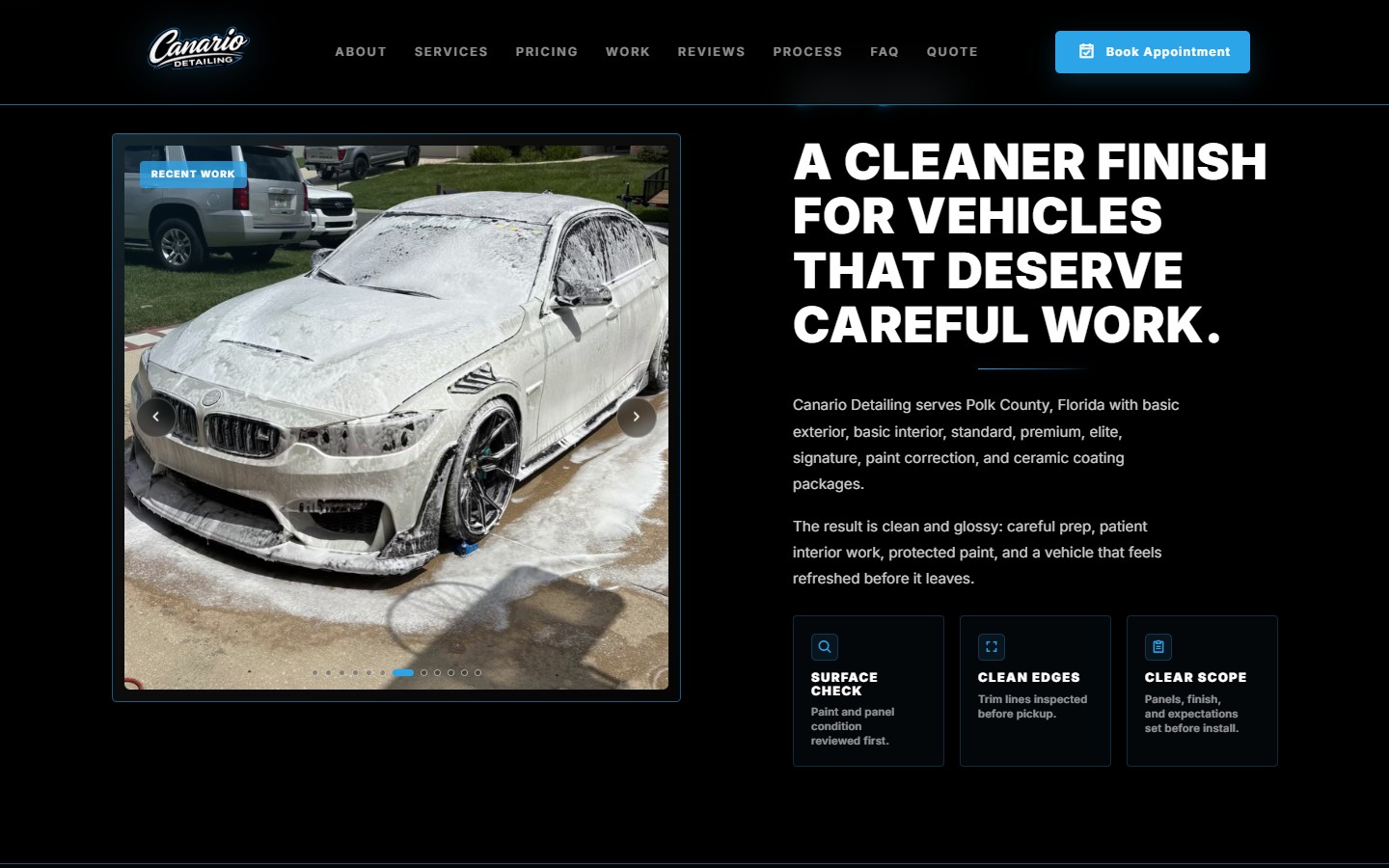
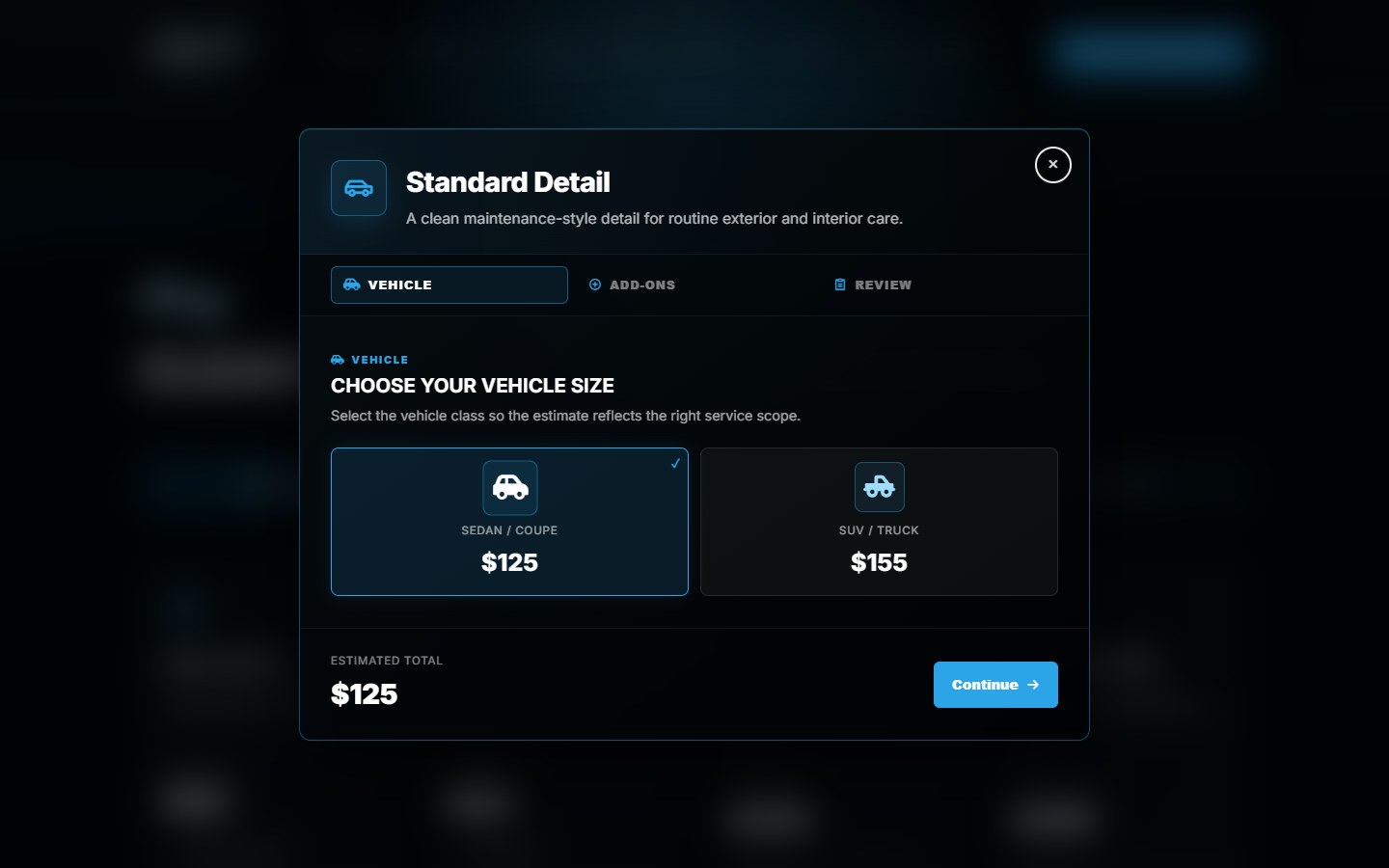
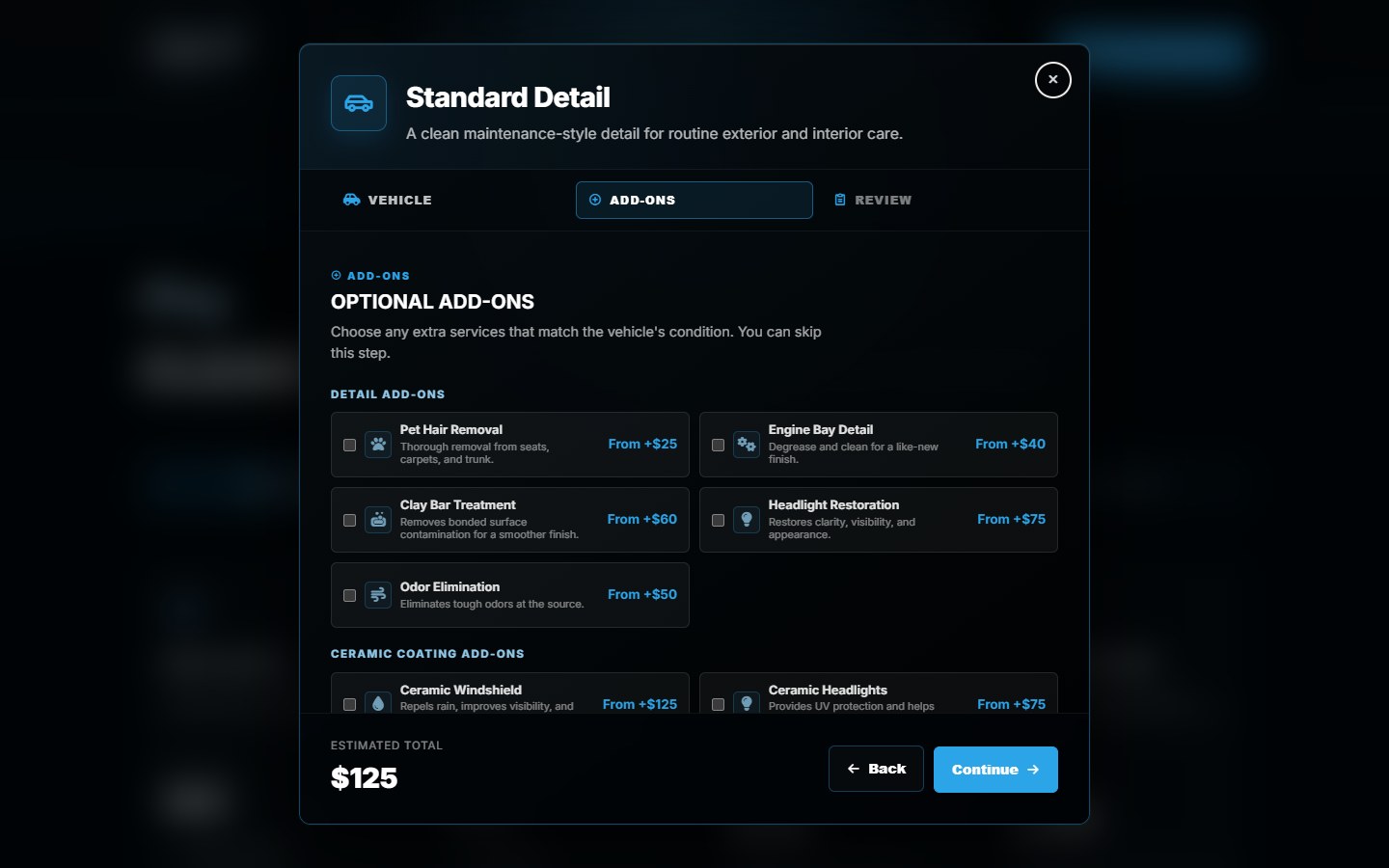
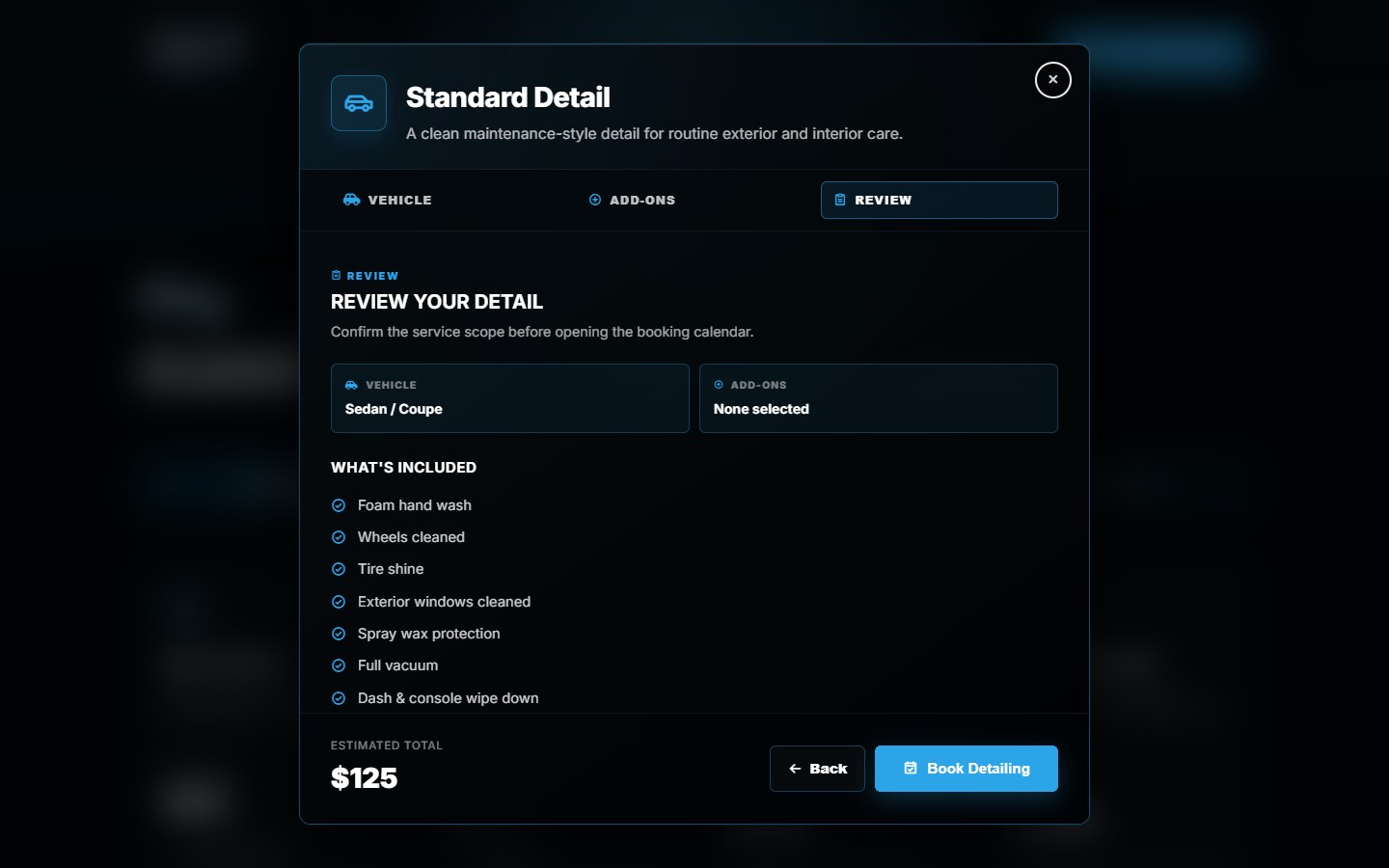
Canario needed customers to choose a package, vehicle size and relevant extras before reaching the calendar. We built a branded selection and review flow connected to Wix booking.
The website shows an estimate; the booking system owns availability and final confirmation. This illustrates a specific integration scope, not a reason every service business needs a custom frontend.
Start by testing your booking provider's existing capabilities. Our guide to keeping Wix Bookings during a redesign explains the choices, with the Canario project as an example.
When does custom development make sense?
Write down the behavior that standard features or a suitable app cannot deliver. That might involve dependent product choices, supplier stock, a particular estimate or information moving between systems. A more elaborate visual design alone does not prove a custom backend is needed.
In The Direct Laser Source project, the Shopify apparel builder connects SanMar and S&S supplier data with size quantities, artwork placement, decoration previews and order estimates. The preview communicates an estimate; final artwork and pricing need review before production.
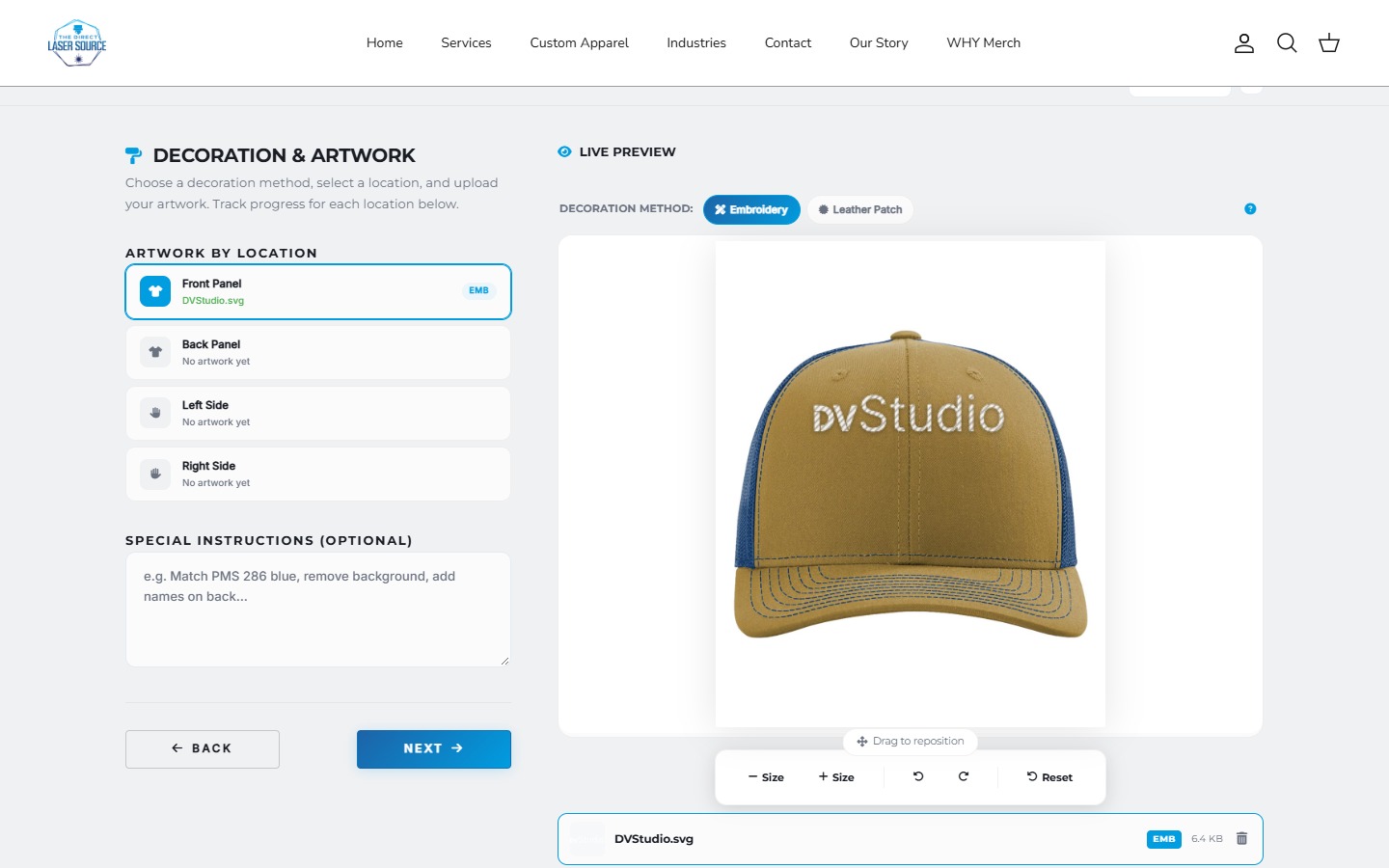
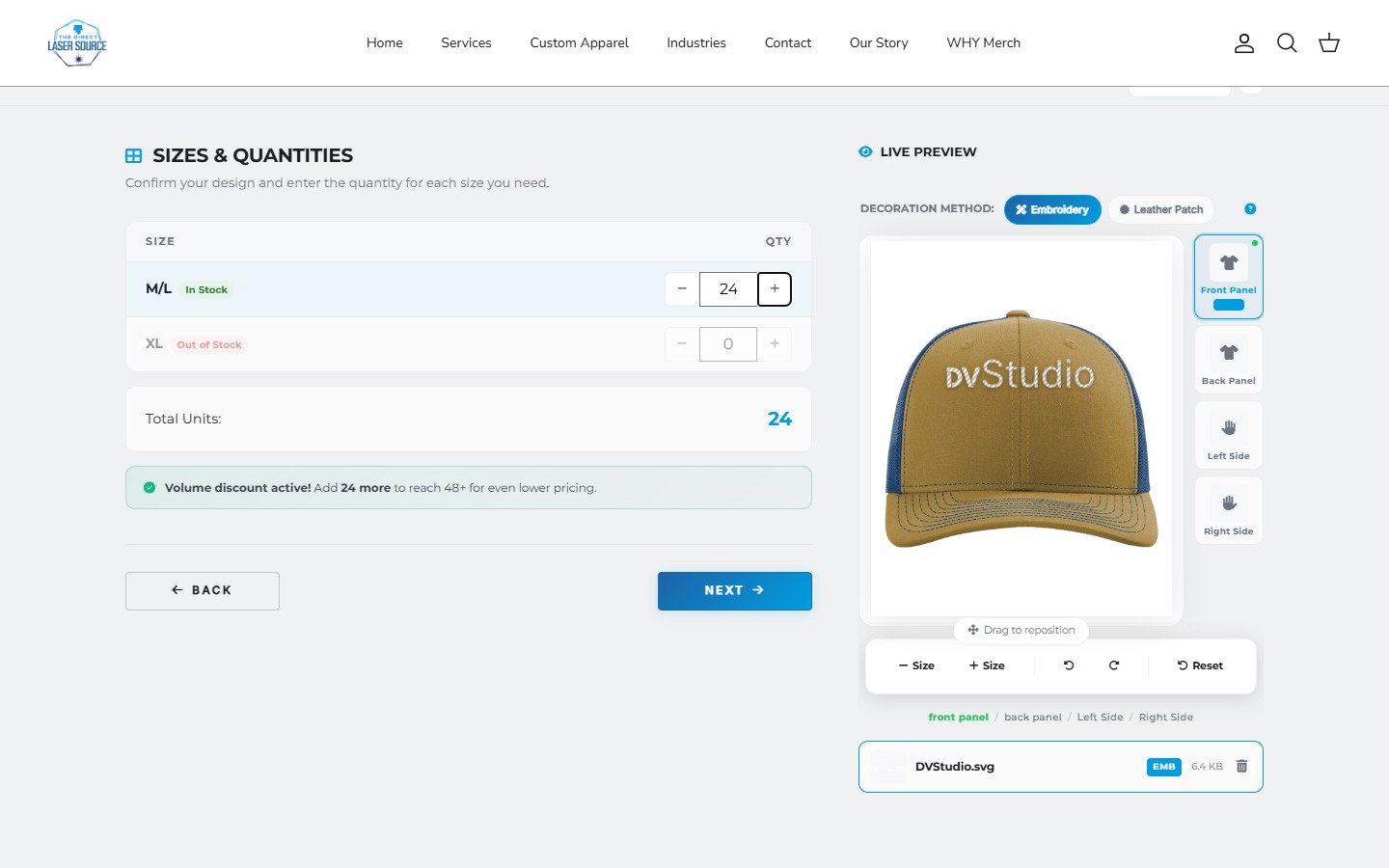
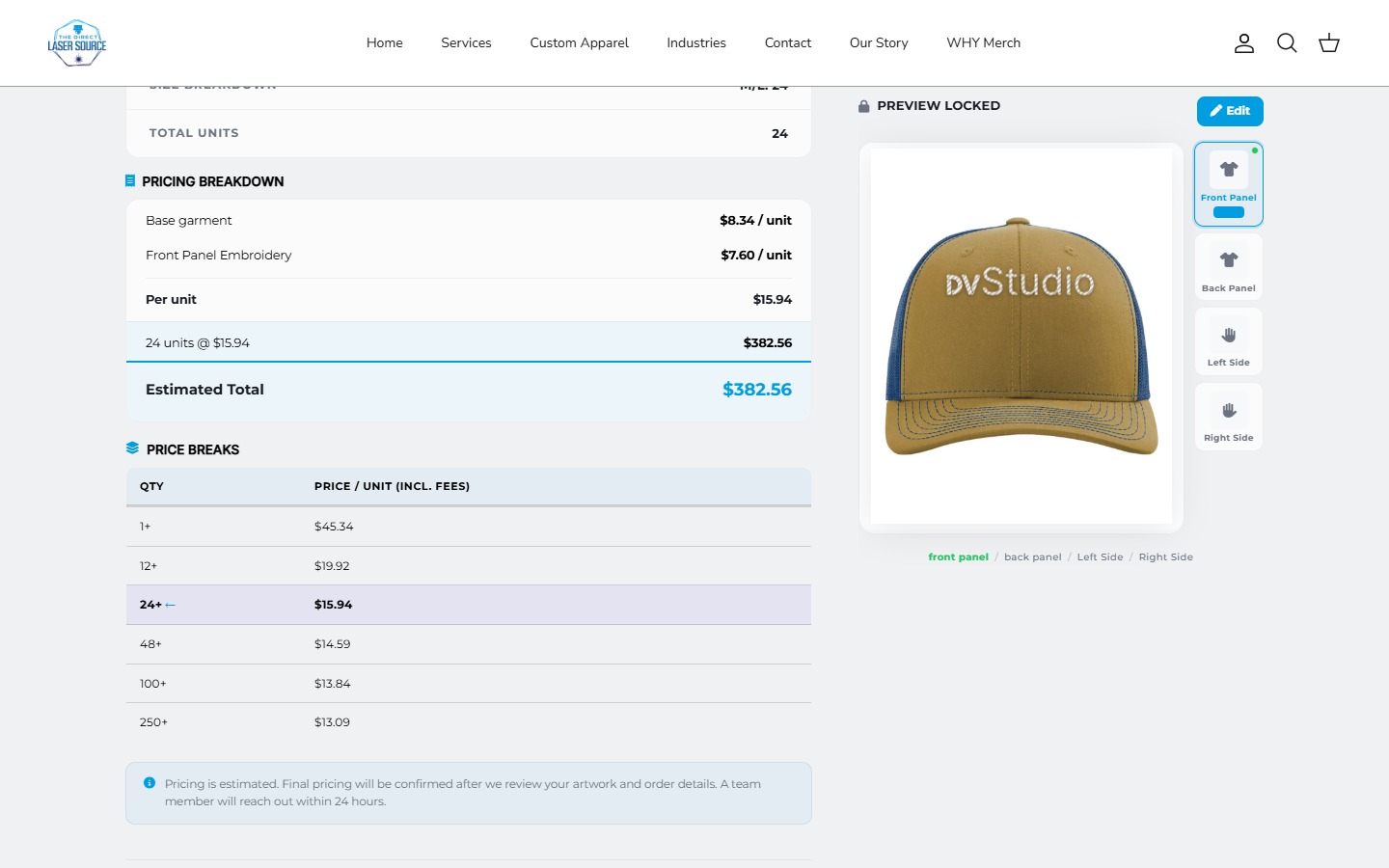
Compare an existing app with that requirement first. If custom work is needed, agree the data source, permissions, failure behavior, test cases and who supports it. Our app versus custom builder guide covers that narrower decision.
A useful quote input: describe one order from garment choice to artwork, quantities and estimate. Ask which steps an existing tool covers and which need additional work. A logo upload alone is a different deliverable from a positioned preview and a size-aware estimate.
Compare the first year and the year after.
Compare the same outcome over the same period. Separate the cash cost from your own time so neither disappears from the decision.
- First-year cash cost
- Build or setup fee, platform or hosting, domain, paid themes or apps, content work and agreed support. Count bundled items once.
- Owner time
- Content preparation, learning the editor, setup, reviews, testing and ongoing updates. Estimate the hours even when you do the work yourself.
- Following year
- Renewals, subscriptions and support, plus planned changes. Record introductory offers separately from renewal prices.
Ask what a monthly service includes, its minimum term and how changes are billed. For our current package inclusions, see website pricing; connected booking and ordering work needs its own scope. A low setup price and a low total cost are different comparisons.
Make the handover part of the choice.
Before starting, agree who controls the domain, platform account, billing, content, analytics and any custom code. Identify third-party licenses and which assets or functionality can move if the relationship ends.
Account access and portability are separate questions. Being able to edit a hosted site does not mean the entire working site can be exported to another platform. Ask for the handover and support arrangements in writing, and use account invitations rather than sharing passwords.
Try one journey before committing.
- Describe the job: write the route from arrival to enquiry, purchase or booking.
- Test the simplest version: try the existing editor, native feature or suitable app with real content.
- Name the gap: identify what fails, takes too much owner time or needs specialist work.
- Compare the same scope: ask for deliverables, recurring costs, acceptance checks and a handover.
For a new information site, the next step may be DIY. For an existing store, it may be a targeted fix. For connected ordering, it may be a discovery and integration phase. Choose based on the work you can demonstrate.
Before you start
DIY website questions
Is it worth hiring a web designer for a small business?
It can be, when the work solves a defined problem or saves time you cannot commit. A straightforward information site may be suitable for DIY. Compare a focused design or setup quote with a full build, and ask what content, testing and handover each includes.
Can I hire someone to improve my Wix or Shopify website?
Yes. Professional help can cover layout, content, theme configuration or a particular feature on your existing platform. Check what is already available before commissioning code. Keeping your platform and hiring help are compatible choices.
Is a custom website better for SEO?
Custom code alone does not establish that a site will rank better. Compare the actual work on useful content, accessible pages, internal links, mobile usability and technical checks. Neither a builder nor a professional build guarantees indexing, rankings or enquiries.
What should I prepare before requesting a quote?
Bring your current URL, the pages and content you have, one complete customer journey, your launch date and the tasks you want help with. List the accounts and integrations that must stay. Use the hiring checklist to compare the resulting proposals.
Work out what needs help.
Bring your current URL, your content and one customer journey. We can discuss a focused update or a larger build.
Sources and scope
Platform documentation checked October 17, 2026. The decision framework is our practical guidance; Canario and Direct Laser Source are our own project examples. Their screenshots show specific implementations, not a benchmark of every builder or agency.
- Wix: professional design and small-task services
- Shopify: customizing a theme with the editor, code or professional help
- Google: SEO fundamentals and the limits of ranking promises
Deciding between platforms? Compare Shopify and Wix separately.