After launch / Website upkeep
Small business website maintenance: what do you need?
Give someone responsibility for renewals, content and the journeys customers rely on. Whether you need monthly professional help depends on the site, its connected systems and the work your team can handle.
Know what the monthly charge covers.
A single invoice can include several different services. Ask for the tasks and exclusions behind each line before comparing fees.
| Service | Typical scope to discuss | Confirm separately |
|---|---|---|
| Hosting | The infrastructure that serves the website. | Domain, email, content edits and connected-system support. |
| Technical maintenance | Agreed updates, checks, recovery arrangements and fixes. | Which systems, frequency, exclusions and response arrangements. |
| Content updates | Changes to text, images, offers or product information. | Allowance, approvals and larger redesign work. |
| Ongoing SEO | Named search, content and reporting tasks. | Deliverables and measurement, rather than a ranking promise. |
Use our website pricing page for current build inclusions. Support scope and charges should be agreed separately; this guide is not a list of services automatically included in a DVS package.
The platform changes the task list.
Shopify and Wix
Shopify provides hosted infrastructure, and Wix documents platform security controls. That does not establish that your content, third-party apps or custom customer journey have been checked. Name who maintains each part outside the provider's scope.
Self-hosted WordPress and WooCommerce
Include the hosting environment, WordPress, theme, plugins and store extensions in the responsibility list. Managed hosting may take on some tasks; confirm the exact coverage. WordPress documents updates and backing up before an update. Confirm your automation and recovery process rather than assuming every update is handled.
Static or custom-coded websites
There may be no WordPress plugins to update, but domains, hosting, source access, deployment tooling, dependencies and external services still need an owner. A contact form or booking integration adds a system beyond the visible pages.
Test the result the customer needs.
- Enquiries: check the form or email route and confirm receipt using an agreed test. A success message is not proof of delivery.
- Booking: verify the selected service, calendar destination and return path. Test final confirmation only through an agreed booking procedure.
- Ordering: check choices, availability, estimates and the agreed quote or checkout destination.
- Content and links: review important service pages, current prices, contact details and downloads on a phone.
- Access and renewals: check domain, hosting, email and app billing owners, renewal dates and recovery access.
Use staging, provider test modes or clearly agreed tests. Avoid creating unplanned real orders, payments or appointments, and do not mix test enquiries with customer leads.
Canario Detailing / Connected booking
A page can load while a handoff fails.
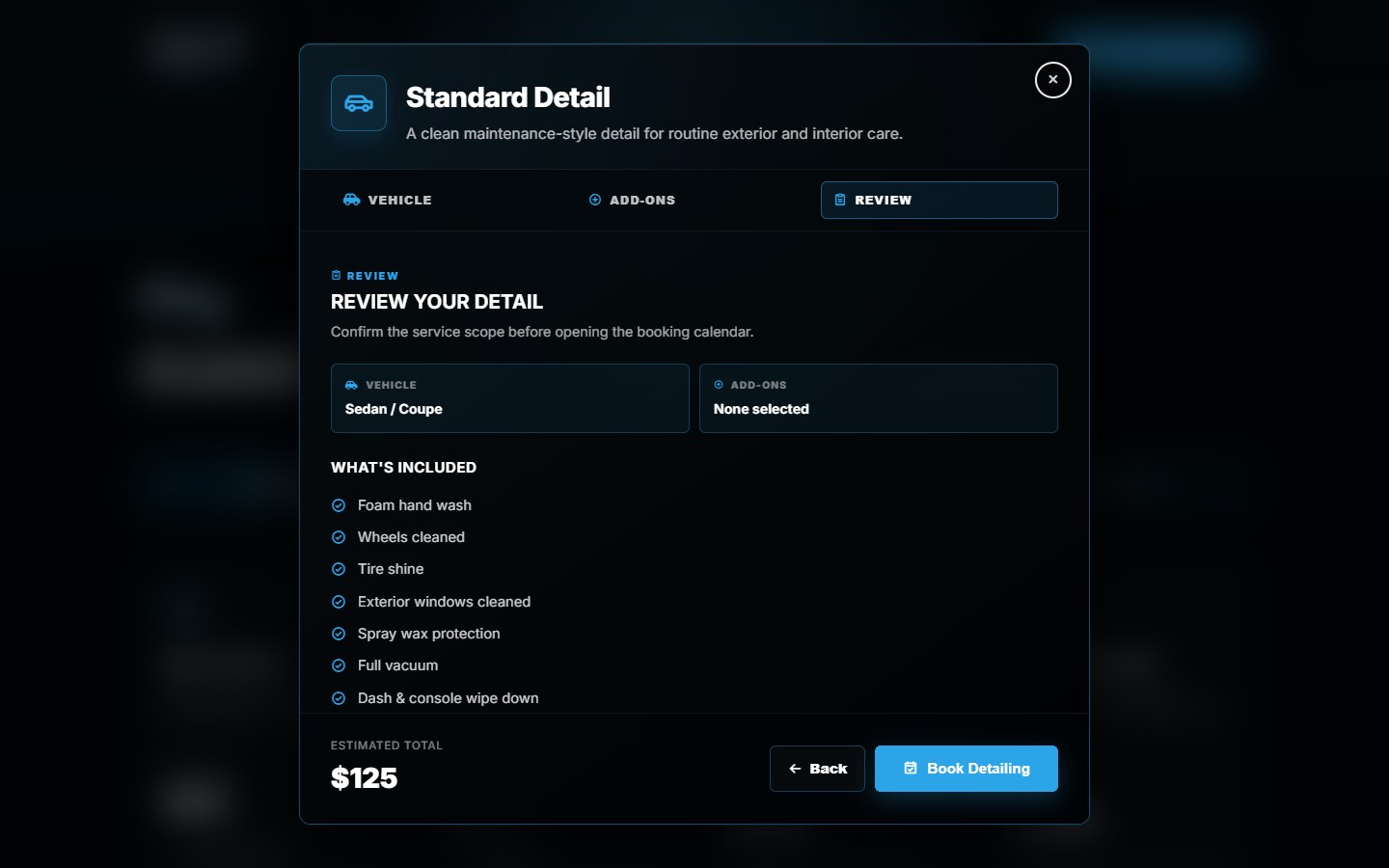
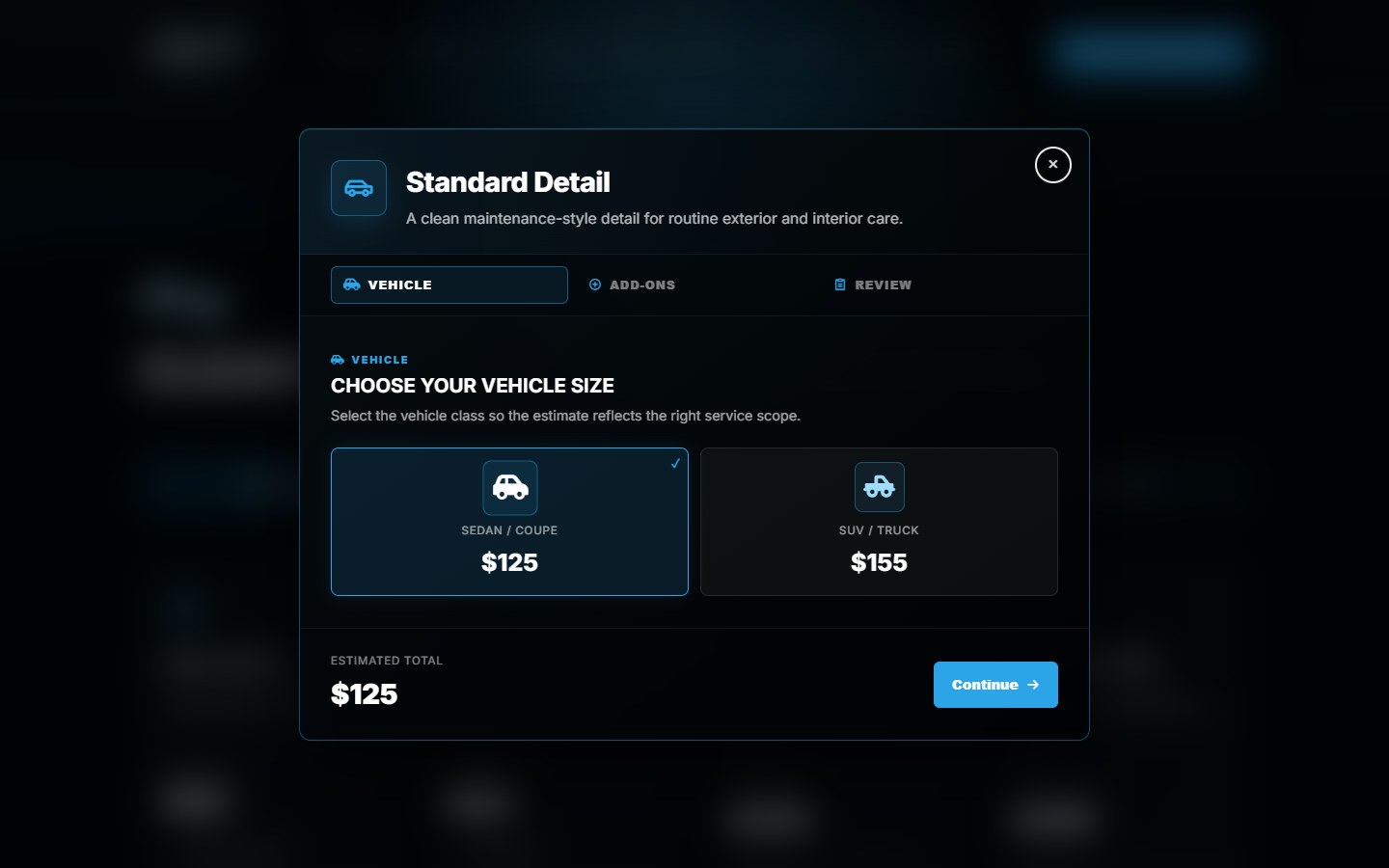
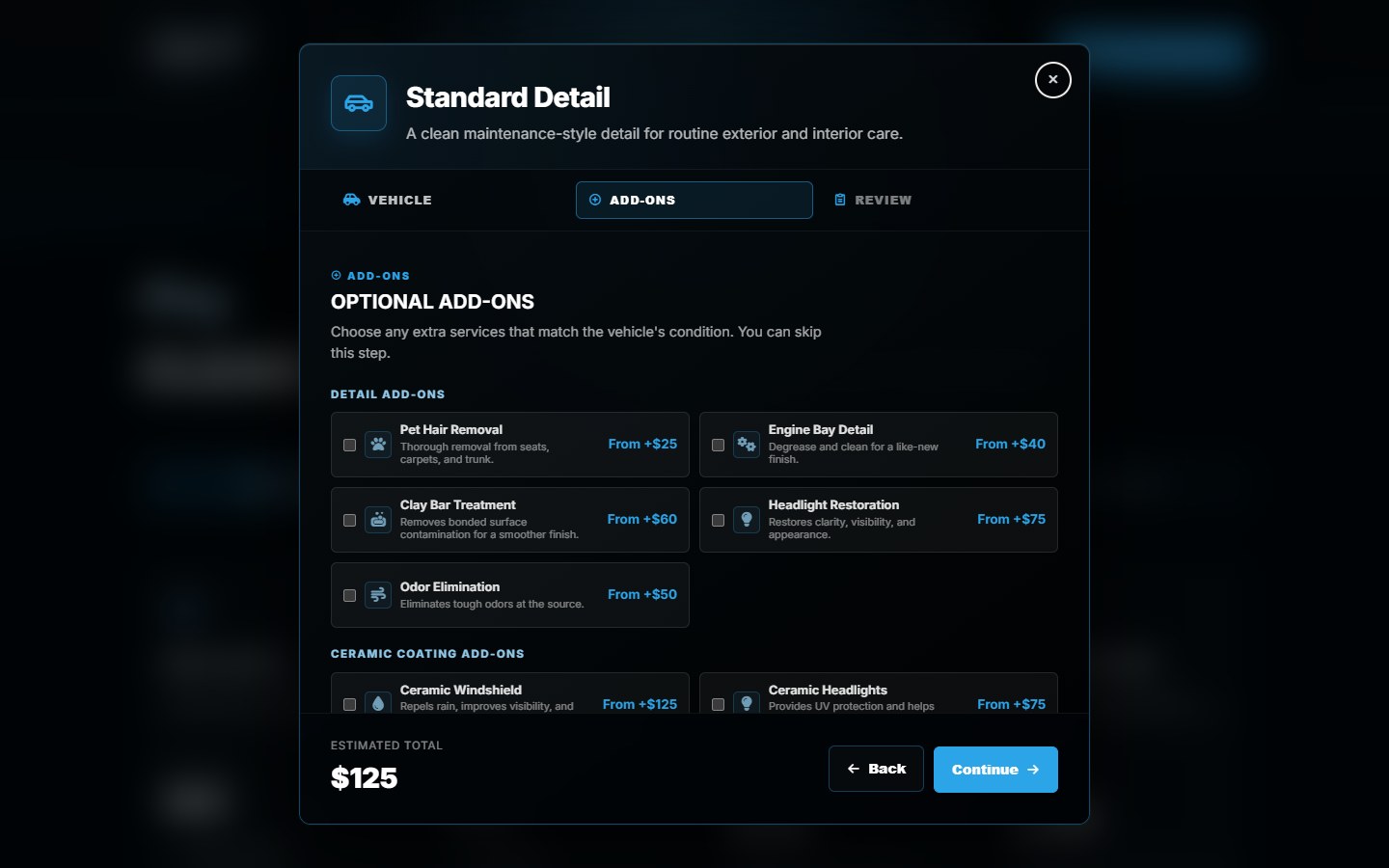
Canario's custom frontend guides a customer through the package, vehicle and extras before continuing to Wix booking. A useful maintenance check follows that route and verifies the intended service destination.
If a service is renamed or its pricing changes, compare the frontend estimate, mapping and review with the intended backend setup. Wix owns availability and final confirmation; the screenshot alone does not prove an appointment was created.
The Canario project shows the implementation. Our Wix booking redesign guide explains the frontend/backend boundary.
Custom features need known-good examples.
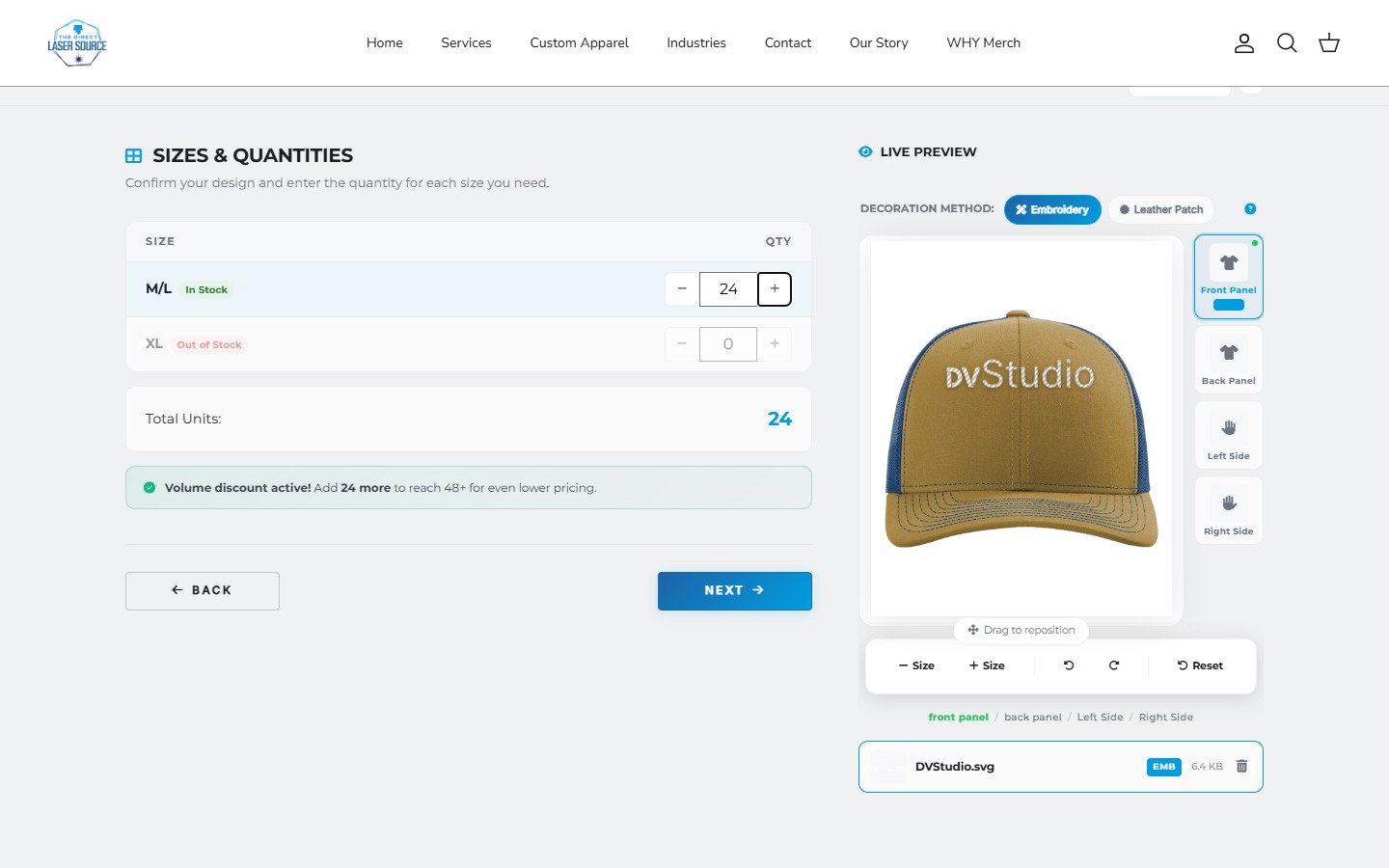
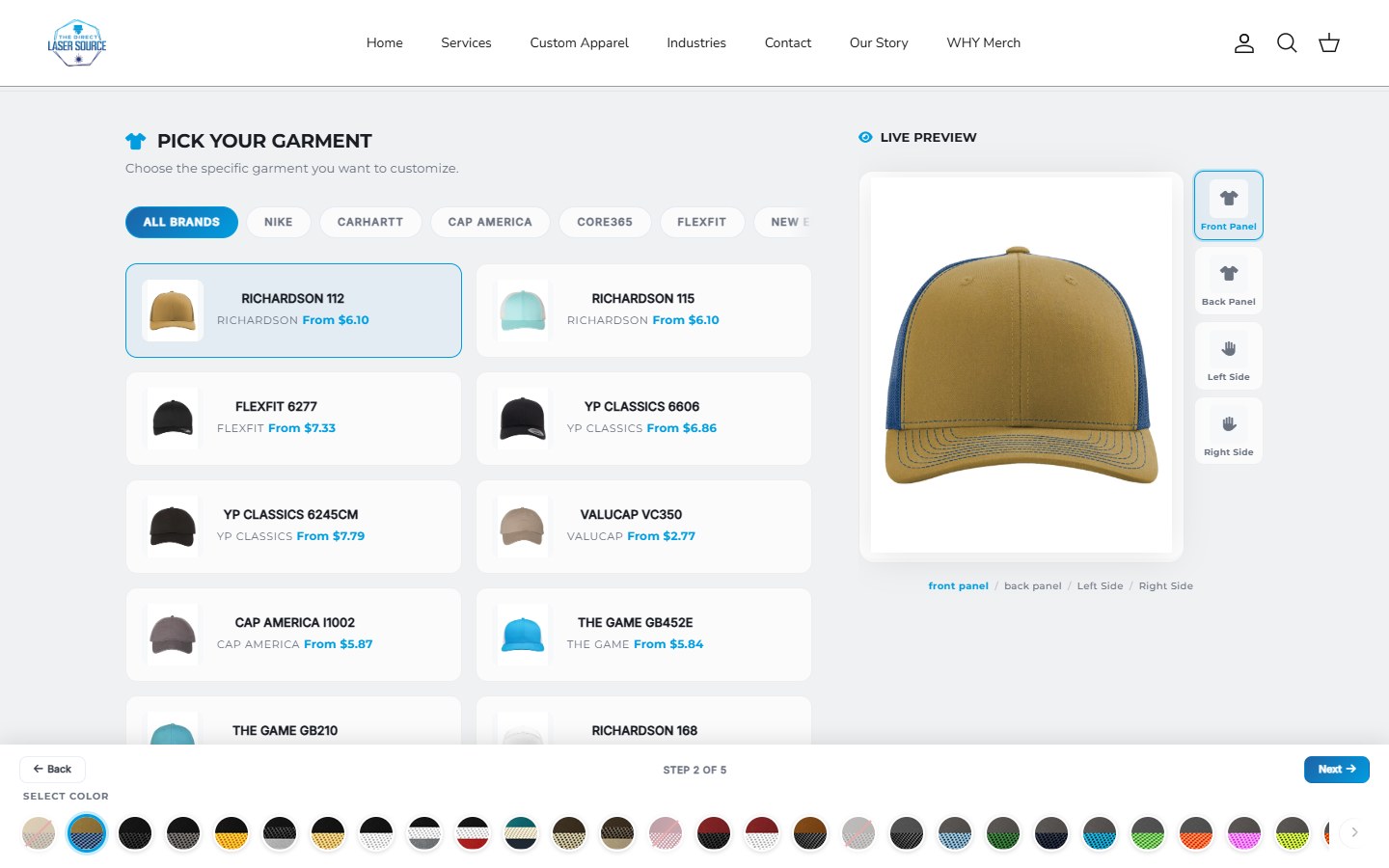
For The Direct Laser Source, upkeep needs to account for supplier data, size quantities, artwork and decoration choices. Keep a small set of approved example configurations, expected estimates and handoff details to check after relevant changes.
Also agree what happens when a connected service is unavailable. An empty stock response should be investigated rather than assumed to mean the supplier has nothing available. Our apparel ordering guide covers the workflow; the maintenance agreement should identify who diagnoses a failure and which systems they can access.
These examples explain what to check, not a claim that every site needs custom development or a particular support plan.
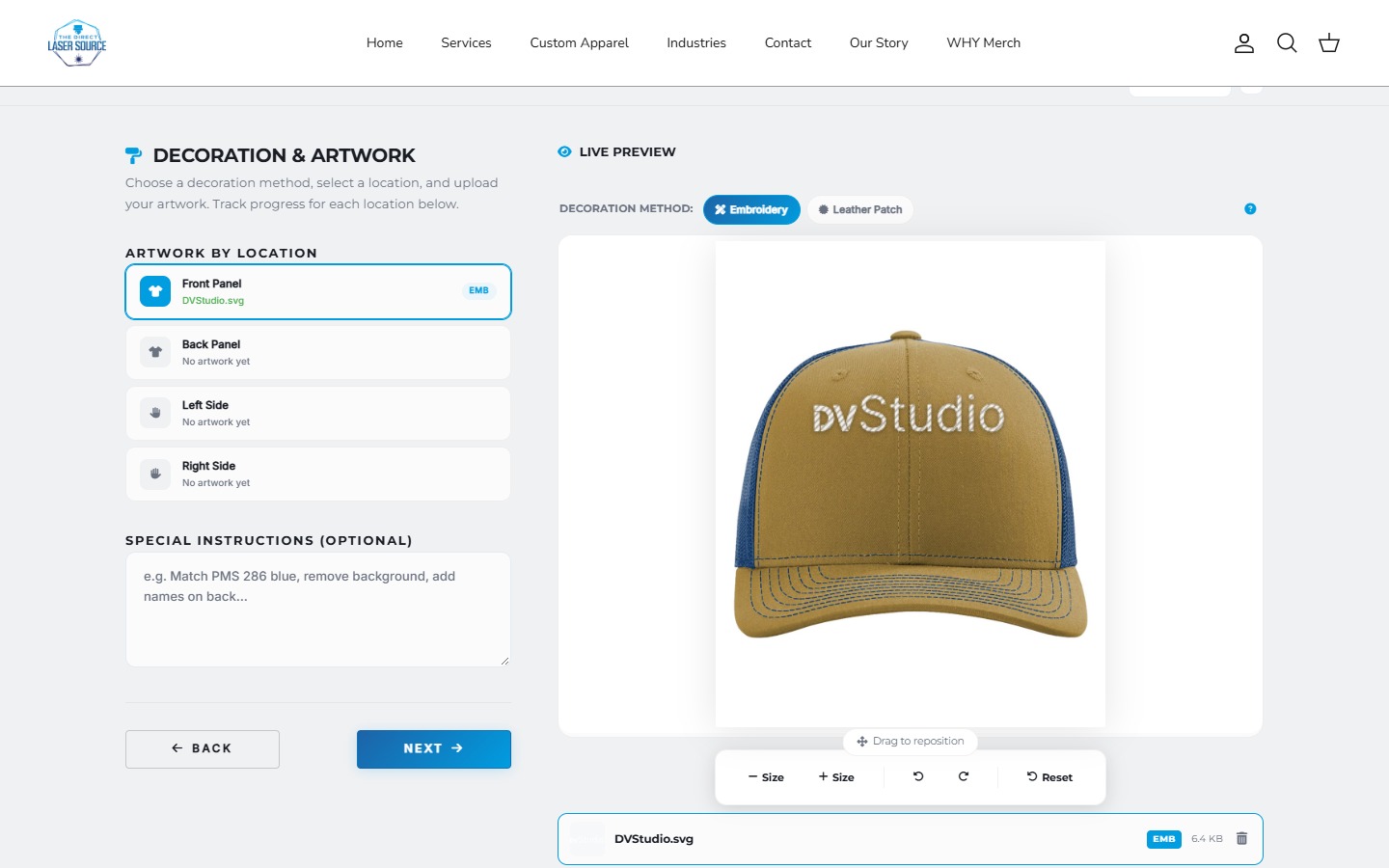
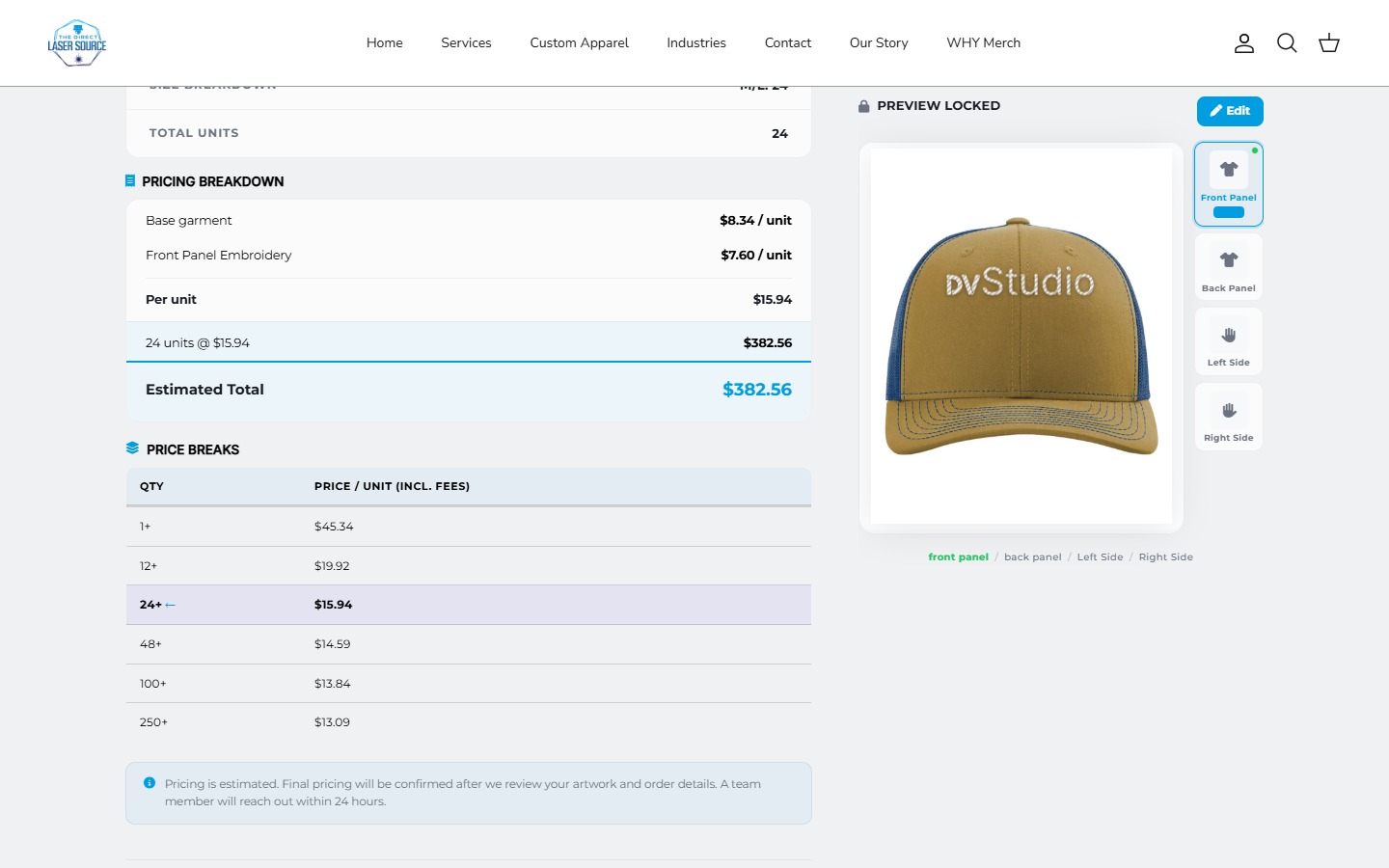
A repeatable check: use an agreed garment, artwork placement, decoration and quantity. Compare the preview and estimate with the expected result, including an unavailable size or changed selection. Record the outcome without creating an unplanned paid order. When supplier pricing legitimately changes, review the expected result rather than preserving an old number blindly.
Know what you can actually restore.
Ask which content, code, settings and records are recoverable, how long copies are retained, where they live and who can use them. Verify the recovery procedure in a suitable test environment. A saved copy and a demonstrated restoration are different evidence.
Shopify documents exports and theme copies, with limitations when transferring store information. Wix explains that restoring a site version does not revert every component, including Wix Bookings content. Do not describe either mechanism as a universal whole-business restore.
For a live store or booking business, agree how new records are protected or reconciled during recovery. Do not restore over current orders or appointments as a routine test.
Set a routine around risk and change.
- After relevant changes
- Recheck affected layouts, content and connected journeys after theme, app, service, pricing or code changes.
- Regular review
- Review important journeys, issues, access and content on an agreed schedule. Monthly can be a starting point for an owner review; busy or critical systems need a more suitable arrangement.
- Before renewals
- Confirm the amount, billing owner and continued need for domains, hosting, email, apps and support.
- When an alert arrives
- Follow the agreed incident and security-update process. Do not wait for the monthly review to address urgent failures or security notices.
Monitoring and customer-journey testing answer different questions. An availability alert can detect that a site is unreachable; it does not establish that a displayed total or enquiry destination is correct.
Put responsibilities in the agreement.
- The systems covered, named tasks and an owner for each.
- The check schedule and evidence included in a report.
- Content-edit allowances, exclusions and approval for extra charges.
- Support hours, time zone, escalation route and what a response commitment means.
- Backup scope, retention, restore checks and live-data recovery responsibilities.
- Account ownership, appropriate access, documentation and exit arrangements.
A simple site may need owner-managed checks and occasional help. A connected store may justify regular specialist support. Our DIY versus professional help guide can help divide the work. If the problem needs structural change, compare a redesign with a rebuild instead of treating it as an ordinary update.
After launch
Maintenance questions
Do I need to pay for website maintenance every month?
Not necessarily. You need someone responsible for renewals, accurate content, access and checking important journeys. A simple site may be manageable by its owner. Paid help makes sense when the work, risk or response requirements exceed the time and skills available. Compare the actual tasks, not only the monthly fee.
Does website hosting include maintenance?
Hosting and maintenance can be bundled, but the names alone do not establish coverage. Ask whether the price includes content edits, software or integration checks, backup recovery and support. Confirm which provider handles each task and what is billed separately.
Does a Shopify or Wix website still need checking?
Yes. Hosted platforms handle parts of the underlying infrastructure, while the business still needs accurate offers, current account access and working customer journeys. Themes, apps, booking links and custom connections need checks appropriate to the implementation, especially after changes.
Is maintenance the same as ongoing SEO?
No. A maintenance agreement can include technical checks that support search visibility, but content planning, new pages, search reporting and campaigns are separate deliverables unless listed. Neither maintenance nor an SEO subscription guarantees rankings or enquiries.
What should a website maintenance report show?
Ask for a concise record of checks and changes, failures found, fixes made, outstanding issues and upcoming renewals. It should identify the systems checked and when. A report saying the homepage was online is not evidence that an enquiry arrived or a booking completed.
Make the ongoing work clear.
Share your website, connected tools and the tasks you want help with. We can discuss the scope.
Sources and scope
Documentation checked October 17, 2026. The checklist and suggested routine are our practical guidance, not a universal schedule or a DVS service-level agreement. Project screenshots illustrate our implementations; they do not demonstrate current uptime or a completed maintenance test.