Platform comparison
Shopify vs Wix vs Squarespace
Choose by what customers need to do: buy a product, book a service or configure something personal.
All three deserve a look for straightforward commerce. The decision changes when a customer needs a time slot, an artwork file or a price that depends on several choices. Compare those steps before comparing templates.
01 / Ordinary products
Select, add to cart, fulfill.
Start with the simplest version of your catalog. Add complexity only where your actual products require it.
Shopify
Native: variants organize choices such as size and color, with price and inventory per variant. Start here when a product catalog is the center of the business. Review variant setup.
Wix
Native Wix Stores: product options create variants for stock and price differences; modifiers collect extra choices without separate inventory. Its docs say modifiers do not support varied pricing. Compare options and modifiers.
Squarespace
Native commerce: store pages lead to product pages with variant choices and a buy button. Variants can have different prices, images and stock. A straightforward catalog belongs on the shortlist too. See the product workflow.
Try this before choosing: use the same product, two variants and one unavailable combination. Follow selection through the cart; review shipping, tax and fulfillment requirements for your actual market. Catalog size alone does not choose the platform.
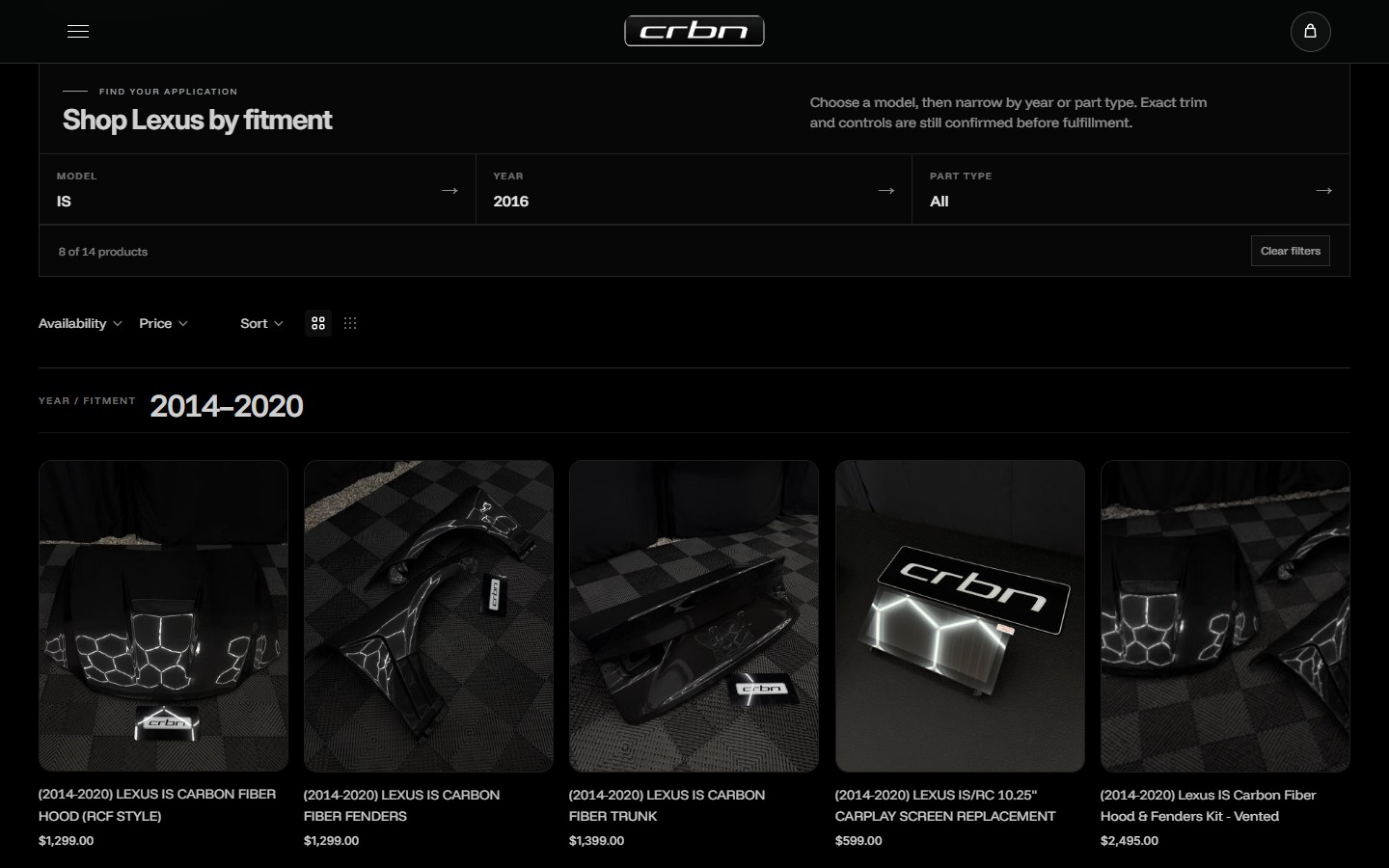
CRBN’s screenshot above shows where an ordinary catalog becomes more specific: fitment filters help narrow a part selection. That extra layer needs its own scope. See the CRBN project.
02 / Services and appointments
Choose a service. Find a time.
A service product and a scheduled appointment are different jobs. Keep the calendar, payment rules and business records in view.
Shopify
App or integration: selling a service does not itself create a calendar. Shopify documents using a booking app; check availability, capacity and recurring appointments in the chosen tool. Read the booking guidance.
Wix
Wix Bookings: Wix offers its own scheduling product for services. It can be added for free, but accepting bookings requires an upgraded site. Confirm the service, payment and staff rules your business needs. Review Wix Bookings.
Squarespace
Separate subscription: Acuity can work with a Squarespace site or on its own. Include its subscription when comparing a booking website; a site subscription does not automatically include it. Check Acuity billing.
Keep a working calendar in the decision.
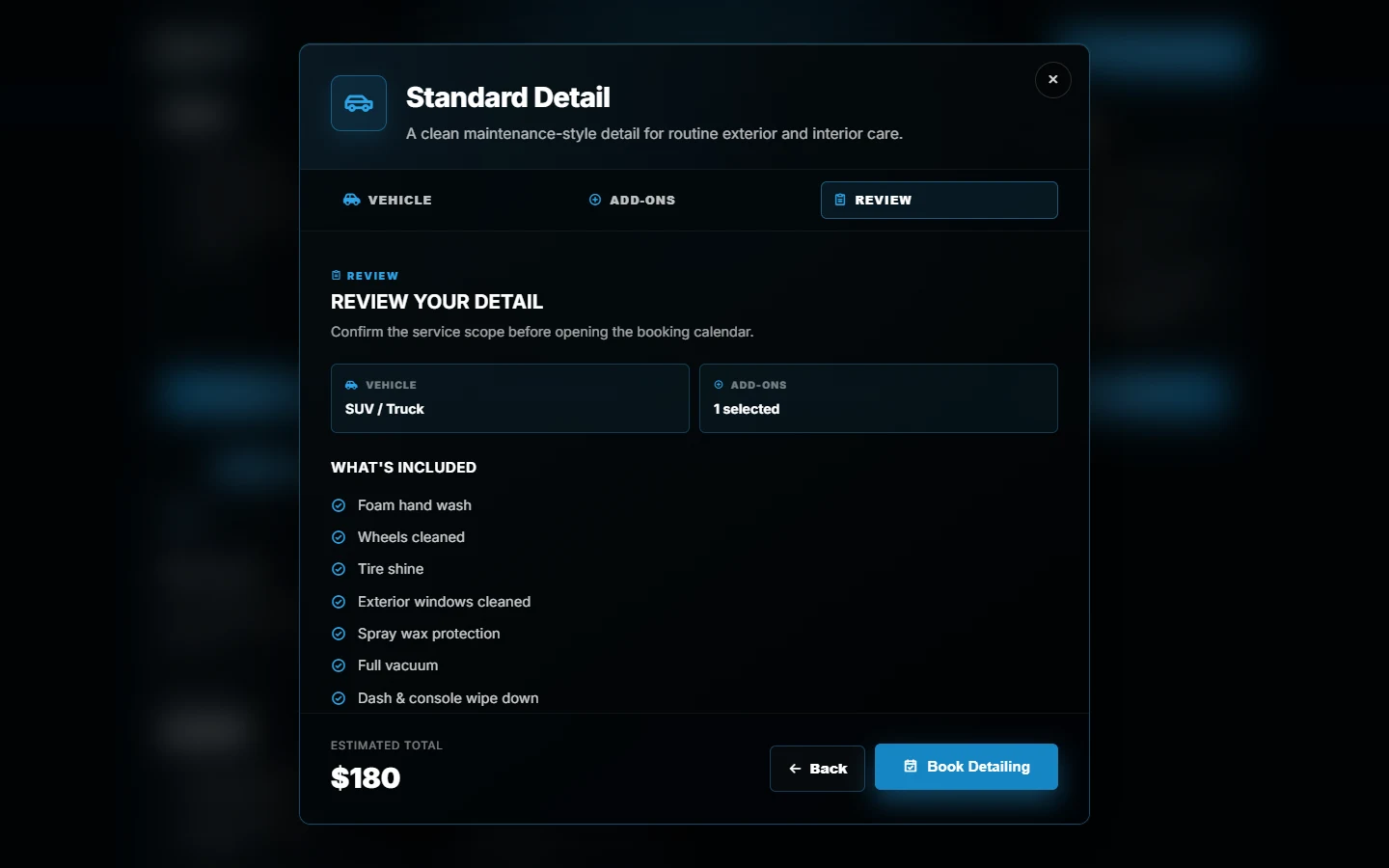
Canario’s DVS frontend guides customers through a vehicle, service extras and an estimate before Wix booking. It illustrates a custom selection layer; the booking system still owns availability and confirmation.
Review the service mapping, selected details and final price at that handoff. A displayed estimate or calendar click does not reserve an appointment.
03 / Personalized products
Details, artwork and price are different jobs.
An engraving note, an uploaded logo and a fully configured garment order need different levels of support.
Shopify
Theme implementation or app: product-form line-item properties can collect engraving text or a file. That capability needs a suitable form and cart implementation; it is not a built-in visual editor. See Shopify’s product-form docs.
Wix
App addition for uploads: Wix says its product page has no native Upload File option and points to Uploadly and FUP as workarounds. Verify file handling, cost and order attachment in the chosen app. Read the documented workarounds.
Squarespace
Native form for details: Add to cart forms collect personalization, but cannot accept file uploads or be limited to selected variants. For paid customization, Squarespace documents variants, a separate listing or an add-on product. Review the form limits.
Collecting a file is only one step.
On Squarespace, the documented form opens after Add to Cart and customers can edit details in the cart. That can suit an engraving request. It does not establish an artwork-upload workflow. Any external integration needs separate validation.
For Shopify, line-item properties carry extra information; the Cart API adds the chosen variant and quantity. An artwork file or a price displayed in JavaScript does not change the authoritative charge. Scope the supported variant, add-on or app pricing path, then check the cart and checkout agree.
When a product becomes a workflow.
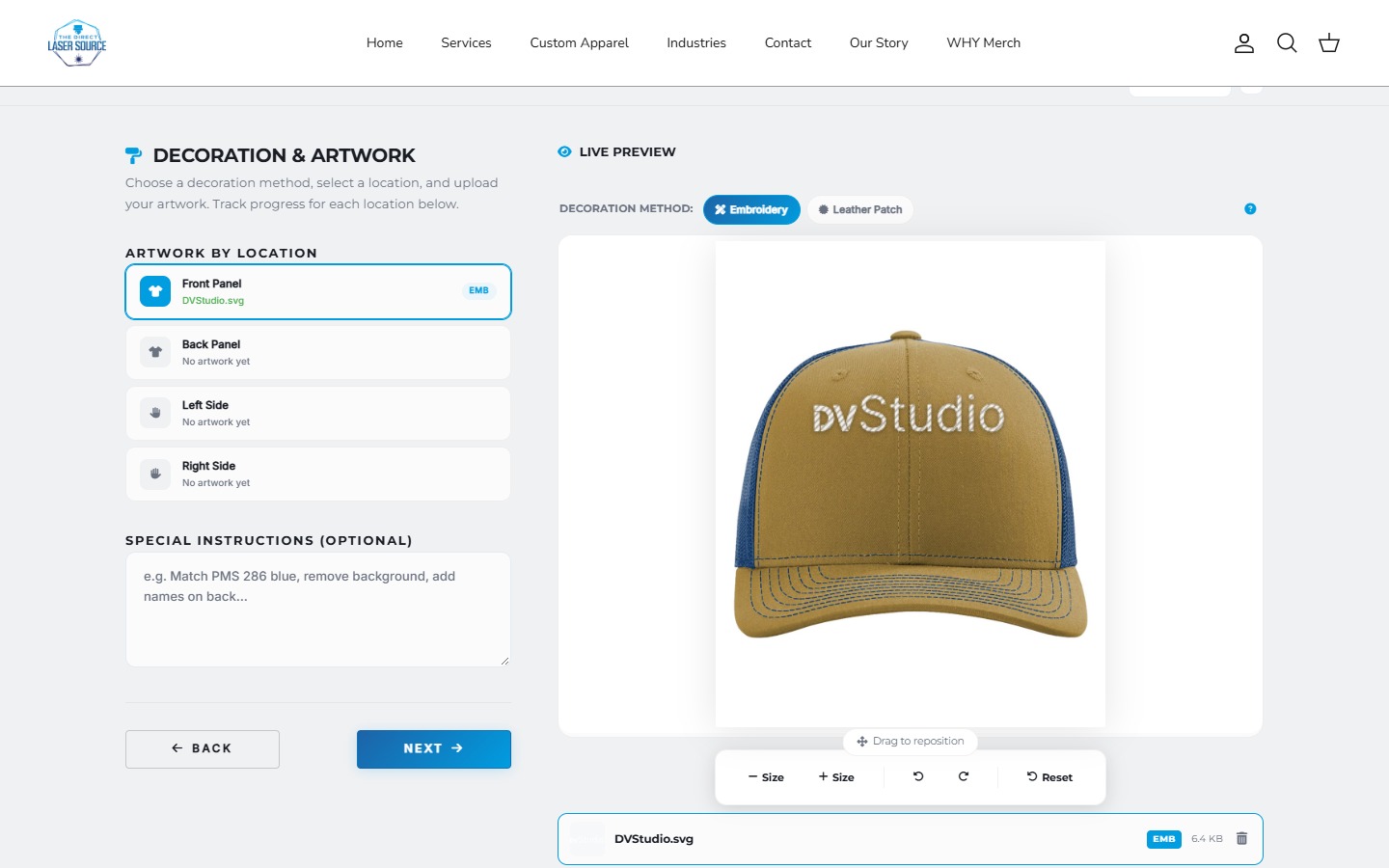
Direct Laser Source’s DVS implementation brings garment choices, decoration locations and artwork preview into one journey. It demonstrates custom development on Shopify, rather than a feature included with every Shopify theme.
For this kind of project, require a demonstration of file-to-item association, invalid combinations, quantity changes and the order details staff receive. Define proof approval and production handoff separately.
Make the decision
Compare the full operating cost.
Use the exact plan and integrations your journey needs, rather than a headline starting price.
- Platform and payments. Confirm the plan that enables your required selling features, billing period, market, processing fees and any platform transaction fees.
- Tools around the sale. Include scheduling, uploads, product options and other recurring apps. Acuity is separate; upload-app costs and conditions need their own quote.
- Implementation and ownership. Price the missing workflow, data setup, testing, future changes and support scope. Name who maintains each integration.
Ask each shortlist to demonstrate the same customer journey and the record the business receives. Choose the setup that meets those requirements at an acceptable ongoing cost; there is no universal platform winner.
Already down to two? The Shopify vs Wix guide covers the broader operating and migration tradeoffs.
Before you commit
A few remaining questions
Which platform is best for SEO?
Start with useful content, crawlable pages, clear navigation and a site customers can use. A platform name does not guarantee rankings. A migration should solve a specific limitation and include a URL and redirect plan.
Can a simple personalization form replace a product builder?
Sometimes, if all you need is a name or engraving note. Uploads, dependent choices, live previews and calculated charges are separate requirements. Check which details reach the ordered item and which system determines the final price.
Has DVS tested all three platforms for this comparison?
The media illustrates DVS work on Shopify and a custom frontend connected to Wix booking. Squarespace coverage comes from official public documentation, not a DVS Squarespace client build or a hands-on order test. Upload apps were not installed or tested.
Bring one real buying journey.
Share your current website and the product or service customers need to choose. We can scope the platform, tools and custom work around that journey.
Sources and scope
Official documentation checked October 22, 2026. Recommendations are our interpretation of the buying workflows, not controlled platform benchmarks. Project media shows existing DVS work; no Squarespace client implementation or transaction test is claimed. Check plan eligibility and integration requirements for your project.
- Shopify: variants
- Shopify: product forms and line-item properties
- Shopify: Cart API
- Shopify: selling services and booking apps
- Wix Stores: product options and modifiers
- Wix Stores: product-page file uploads
- Wix: about Wix Bookings
- Squarespace: products and variants
- Squarespace: Add to cart forms
- Squarespace: Acuity subscriptions and billing