Form design / Fewer obstacles
Single-step vs multi-step forms: when does another step help?
Keep a straightforward inquiry on one screen. Consider steps when a request has distinct groups of questions or choices that depend on earlier answers. Splitting the same questions across screens is not, by itself, a conversion improvement.
Compare the same questions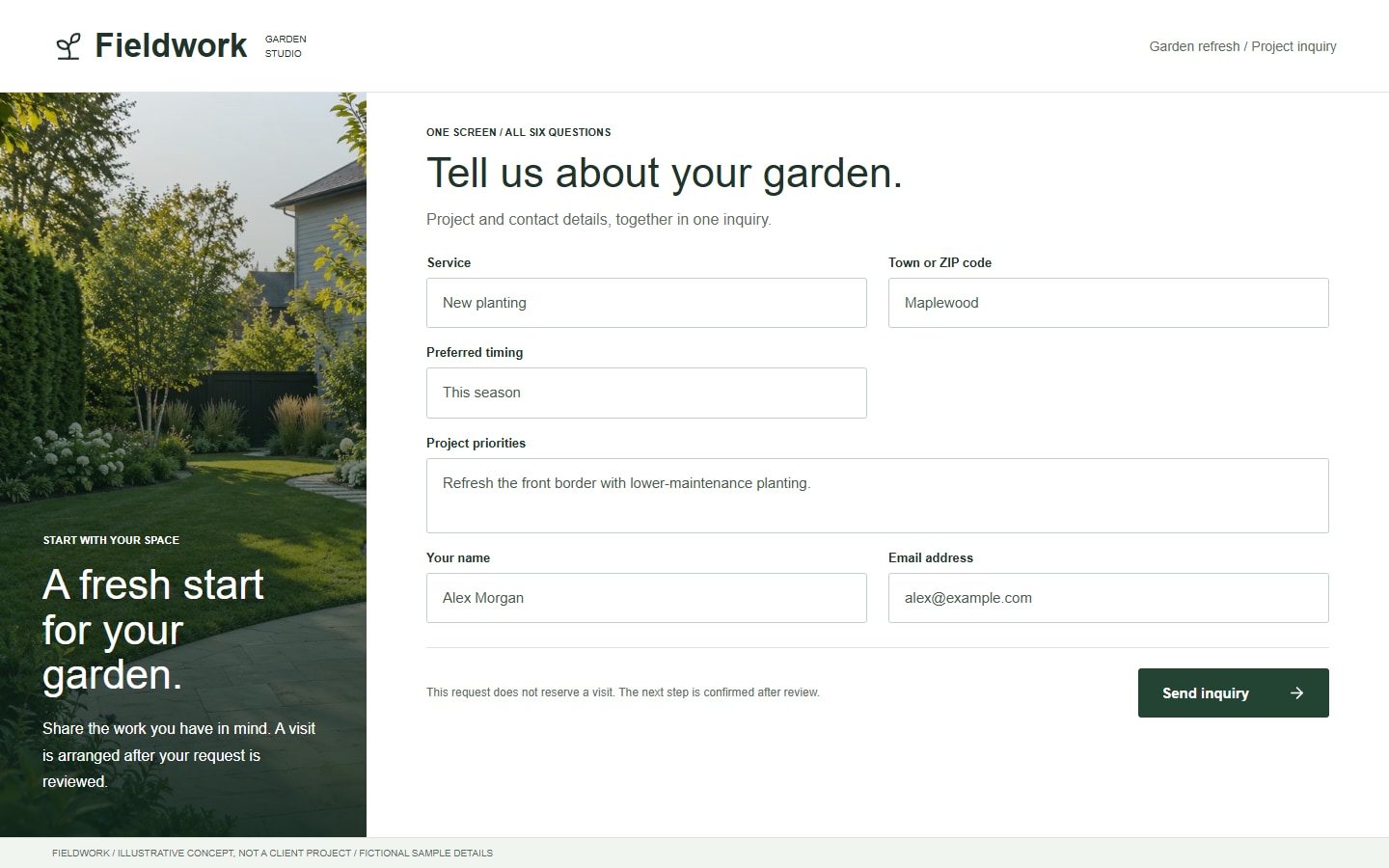
One request / Two structures
Change the grouping. Keep the job the same.
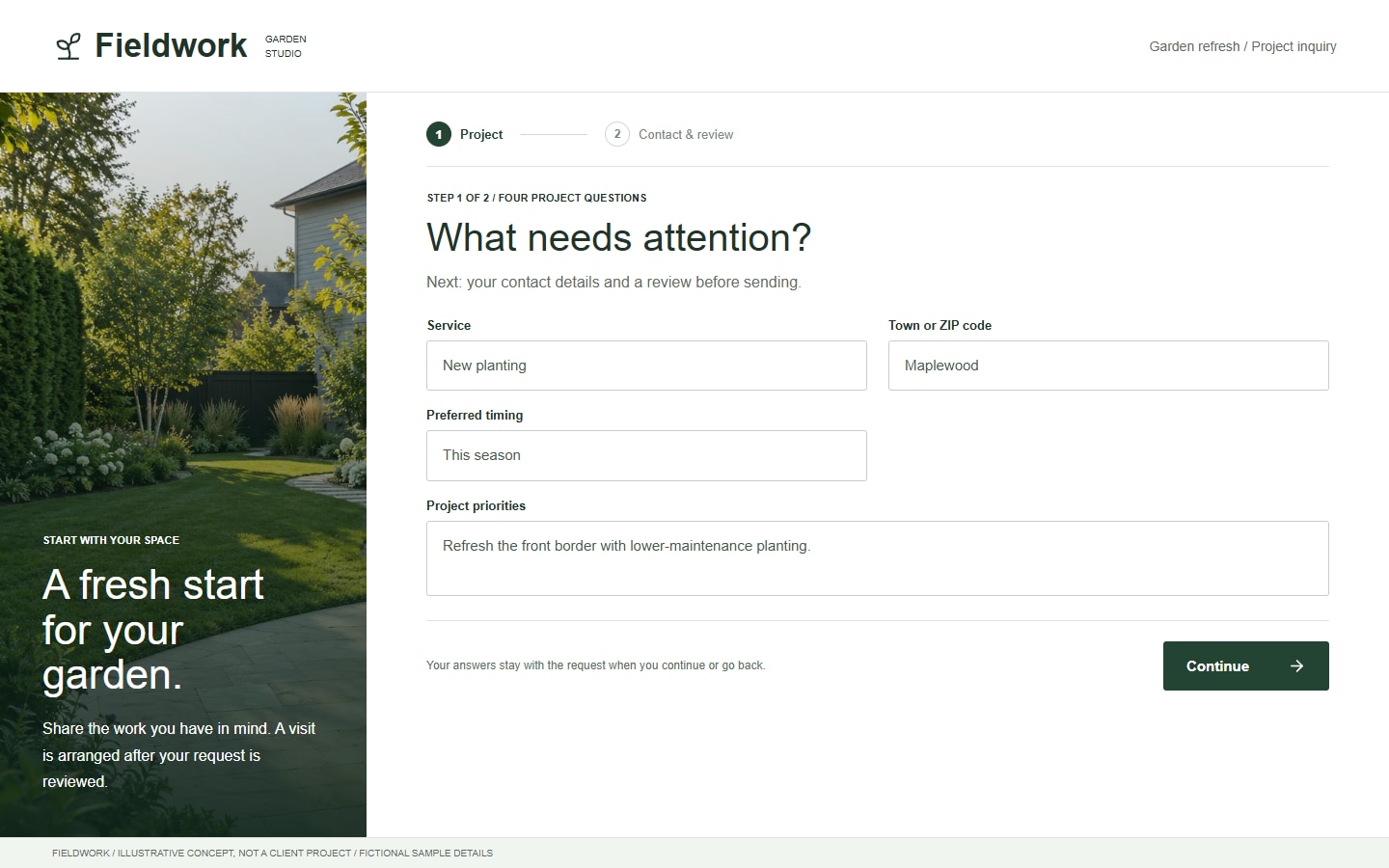
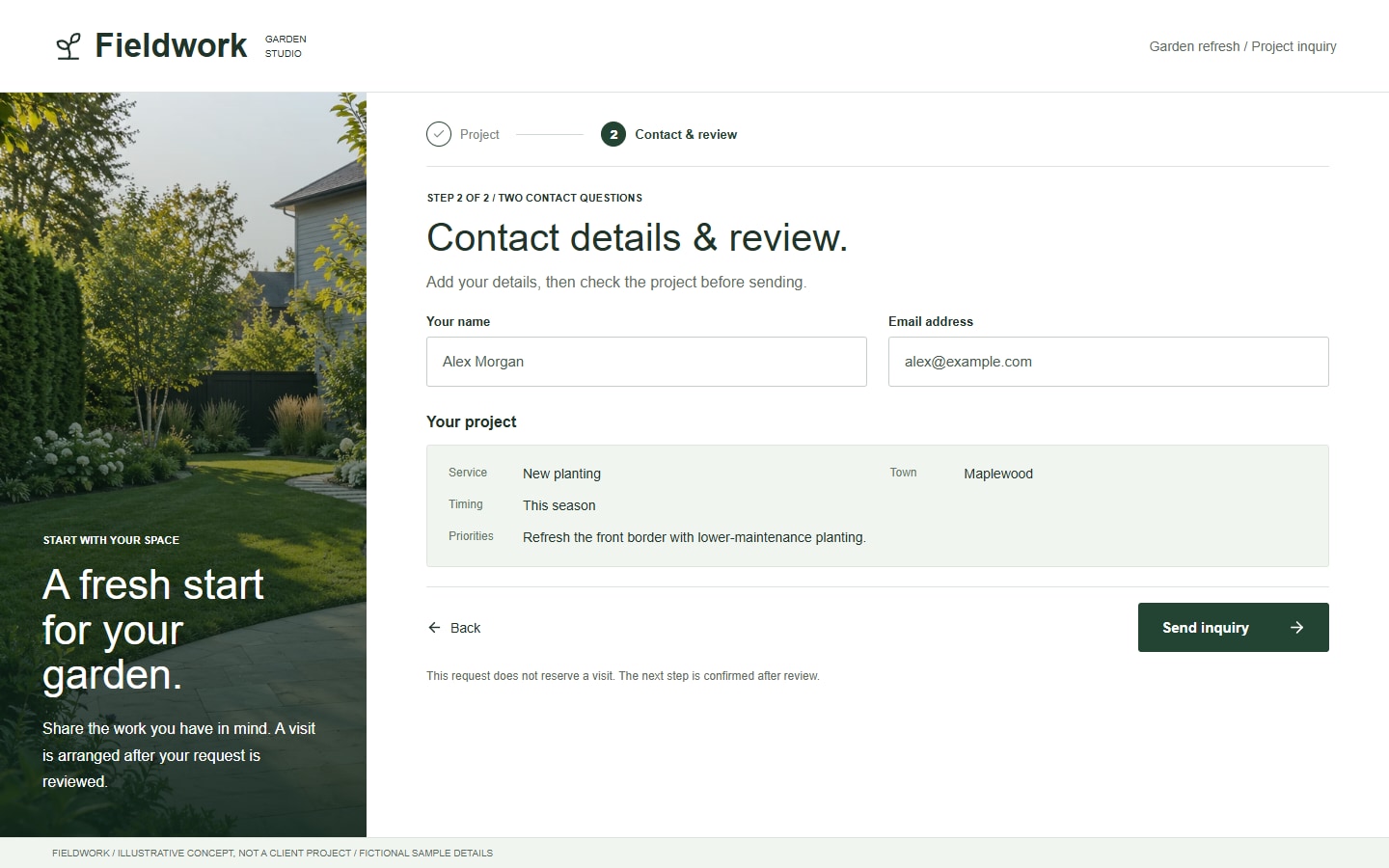
Our fictional Fieldwork example asks for the same six things: service, town, preferred timing, project priorities, name and email. The slider shows one-screen and two-step versions. Neither has measured results; this is a layout comparison, not an A/B test.
Single step
See the whole request.
All six questions and the send action are together. Visitors can scan what is needed before starting, with no intermediate navigation. On a phone, one step can still involve scrolling.
Project details Contact details Send
Two steps
One group at a time.
The first screen covers the project. The second adds contact details and a summary before sending. That grouping adds navigation, state handling and another opportunity to lose the visitor.
1. Project 2. Contact & review Send
For this modest request, one screen is a reasonable starting point. More useful branching could justify stages: for example, installation questions only after someone selects installation. Do not add questions just to fill a second screen.
Choose around the task
Remove questions before adding steps.
First decide what you need to respond usefully. A field needed for a quote may not be needed for an initial conversation. Ask for the reason behind each question, including uploads and required phone numbers.
| Situation | Starting structure | What to check |
|---|---|---|
| A short inquiry | One screen with the necessary contact and request details. | Can someone understand the request without needing help? |
| Distinct information groups | Logical stages, if showing everything together becomes difficult to follow. | Are the groups meaningful, with progress and a working Back action? |
| Dependent choices | Relevant follow-up questions, on one screen or across steps. | Do changed answers remove stale selections and update the review? |
| A confirmed appointment | A scheduling flow with real availability and confirmation. | Is this actually booking, rather than a request awaiting review? |
If the real decision is whether to take an inquiry or reserve a slot, use online booking vs contact form. That is an outcome decision, separate from how many screens a form uses.
Judge the whole journey
Measure useful requests, not Next clicks.
When there is enough relevant traffic, compare completed, successfully delivered requests and their quality. Check errors and stage exits to find problems. An extra intermediate click is not another lead, and a thank-you screen does not prove delivery.
Keep the offer, questions and traffic mix comparable when testing the structure. Small samples, different campaigns or changed requirements can make the result misleading. Do not announce a winner from a few visits; there is no universal conversion-rate advantage for either layout.
Decide what information may be collected and when. Do not silently turn an unfinished first step into an emailed lead. Tracking and partial-save behavior need an agreed purpose and appropriate privacy handling; avoid sending field contents into analytics.
Keep what already works.
A new form is not always a new platform. Check the current form tool, inbox and scheduler before replacing them. A focused landing-page build can include an agreed inquiry flow; a custom selector or connection is separately scoped. The landing-page cost guide explains that distinction.
Our Canario project is a separate recorded example of service choices and review before a Wix booking handoff. It shows implementation work, not evidence that multi-step forms convert better.
Before adding another step
Form structure questions
Do multi-step forms convert better?
Not automatically. Logical grouping can make a complex task easier to follow, but extra navigation and poor state handling can create friction. Start with the task, then evaluate successfully delivered and useful requests from comparable visitors.
How many fields should trigger another step?
There is no reliable universal threshold. The difficulty of the questions, their relationship and what the visitor must look up matter alongside length. Remove unnecessary questions first, then group the remaining work where that helps.
Can a single-step form use conditional questions?
Yes. Showing a relevant follow-up does not require another screen. Either structure needs accessible labels, understandable errors and rules for clearing answers that no longer apply when a choice changes.
Does a step need to be a separate webpage?
No. Steps can run within one page or across pages. Either way, agree how Back, refresh, focus, progress and failed submissions behave. Preserving answers between steps is not the same as storing them after the browser closes.
Can we keep our existing form or booking tool?
Often that is the first option to check. We review what the tool supports and scope any layout, selection or data connection around it. Editing a form, replacing its provider and rebuilding a scheduling system are different projects.
Bring the questions. We will map the request.
Share the page, the details you need and where a successful inquiry should arrive.
Sources and example scope
W3C guidance checked October 24, 2026. DVS's comparison is practical scoping guidance, not a conversion study. Fieldwork screens are illustrative concepts with AI-generated garden photography, not client projects. The same six questions appear in both structures; their arrangement is the variable being illustrated.