Shopify / Structure the choices
Shopify variants vs custom options
Use variants for the versions you sell and manage in your catalog. Use custom fields for details the customer supplies. When a choice costs extra, make sure the charge is part of the purchasing flow, not just a label beside the price.
Compare the choices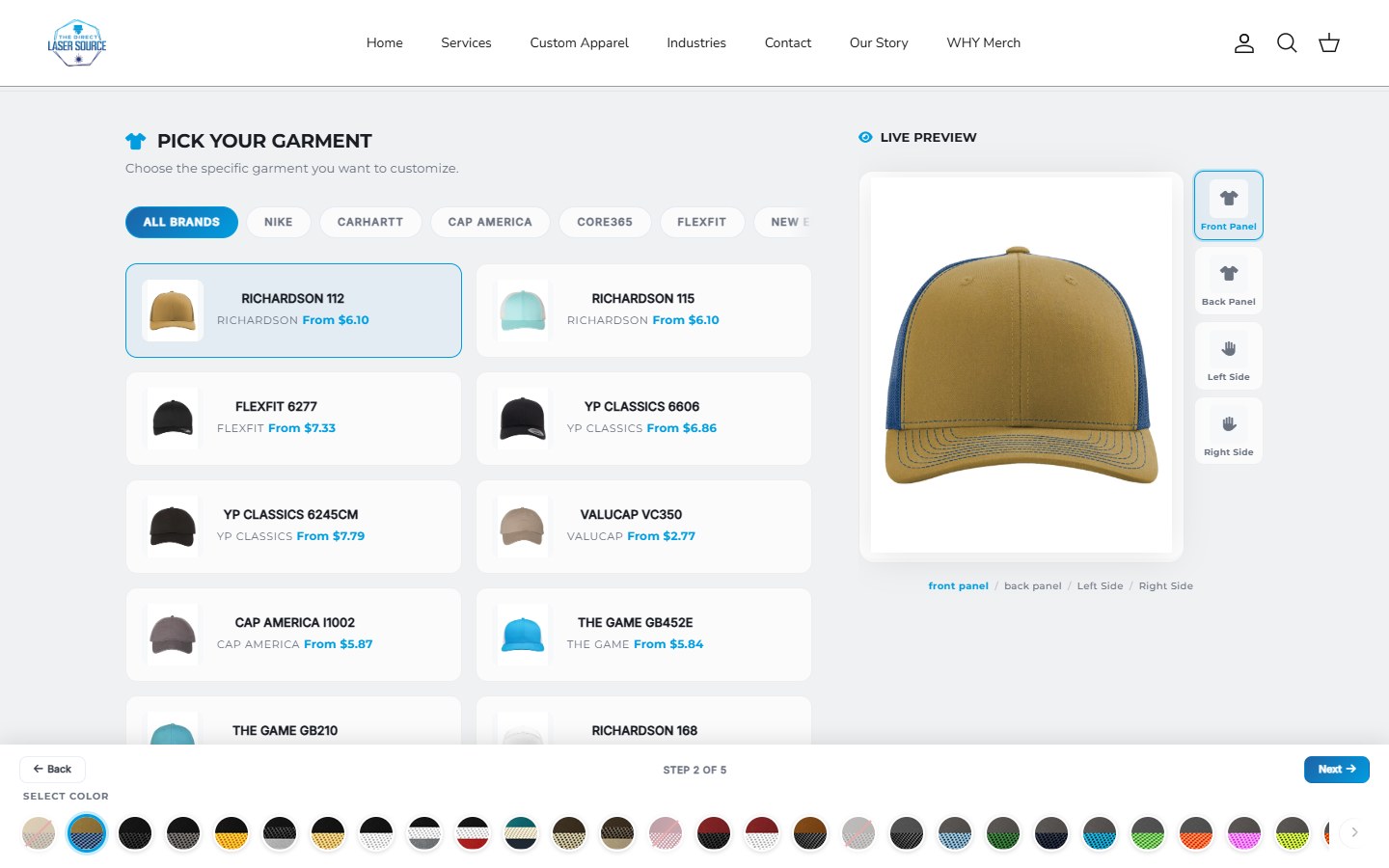
Similar controls, different records
A swatch does not tell you how the choice is stored.
In Shopify, an option such as Size or Color describes a choice. A particular combination, such as Navy / Medium, is a variant. Apps and merchants also use “custom options” to mean extra fields, such as engraving text or an artwork upload. Those fields are not automatically new variants.
| Choice type | What it represents | What to account for |
|---|---|---|
| Catalog variant | A sellable combination, with variant-level details such as price, inventory and shipping. | Use the right variant for the item being purchased and the stock your business tracks. |
| Customer input | Personalization details, such as a name, artwork reference or placement instruction. | Preserve and validate the details. A line item property is not an independent stock record or price. |
| Paid extra | An additional product or service, such as decoration, gift packaging or a premium finish. | Define how the app or integration charges it and handles any associated inventory. |
These can work together on one product. Shopify's variant editing documentation covers catalog details; its product-form reference describes capturing additional customer information.
Illustrative apparel example / Not a client order
One garment. Three kinds of choice.
A customer wants a navy, medium garment with their logo on the front. Separating the requirements makes it easier to discuss inventory, pricing and what the production team receives.
01 / Sellable item
Navy / Medium
The selected garment variant identifies the catalog item. Its stock and price must match the item you intend to sell.
Catalog record
02 / Personalization
Logo / Front placement
Keep the customer's artwork reference and placement details with the item. A visual preview is not itself a production-ready file.
Customer details
03 / Chargeable work
Decoration
If decoration costs extra, define the charging method. Confirm that the purchasing total includes the agreed work, rather than saving a price as text.
Pricing requirement
For an actual build, map each choice to its record, price rule and destination before selecting an app or commissioning a custom interface. The same approach applies to engraving, wheel finishes and other made-to-order products.
Keep inventory attached to what you count.
Moving a stock-sensitive choice into a text field does not give it its own stock tracking. If a particular component or finish has limited availability, decide how that availability is represented and enforced. A linked product, variant or another verified inventory integration may be needed.
Shopify currently documents up to 2,048 variants and three options per product. Some themes, apps and sales channels have compatibility limitations above 100 variants, so a catalog fitting the platform limit is not enough to establish that the whole setup supports it. Shopify's current limits and cautions.
Do not create a catalog entry for every possible customer name or uploaded logo just to represent personalization. First distinguish a sellable combination from customer-supplied information, then test the tools handling each.
An extra field is not an extra charge.
Line item properties capture additional information. Naming a field “Embroidery +$10” does not, by itself, change the amount Shopify charges. That label is an illustrative example, not a DVS or supplier price.
An implementation might select an appropriately priced variant, add a priced product or use an app-supported purchasing workflow. The right method depends on the offer and your setup. Shopify's Cart API adds variants and their properties; an arbitrary customer-entered price is not a substitute for the charging method.
Check the actual cart and checkout totals, including edits, quantities, discounts and removed extras. Define what happens if a shopper changes the base item. The displayed estimate and the final purchasing route must not silently disagree.
DVS project examples
Design the choices around the real workflow.
Apparel and artwork.
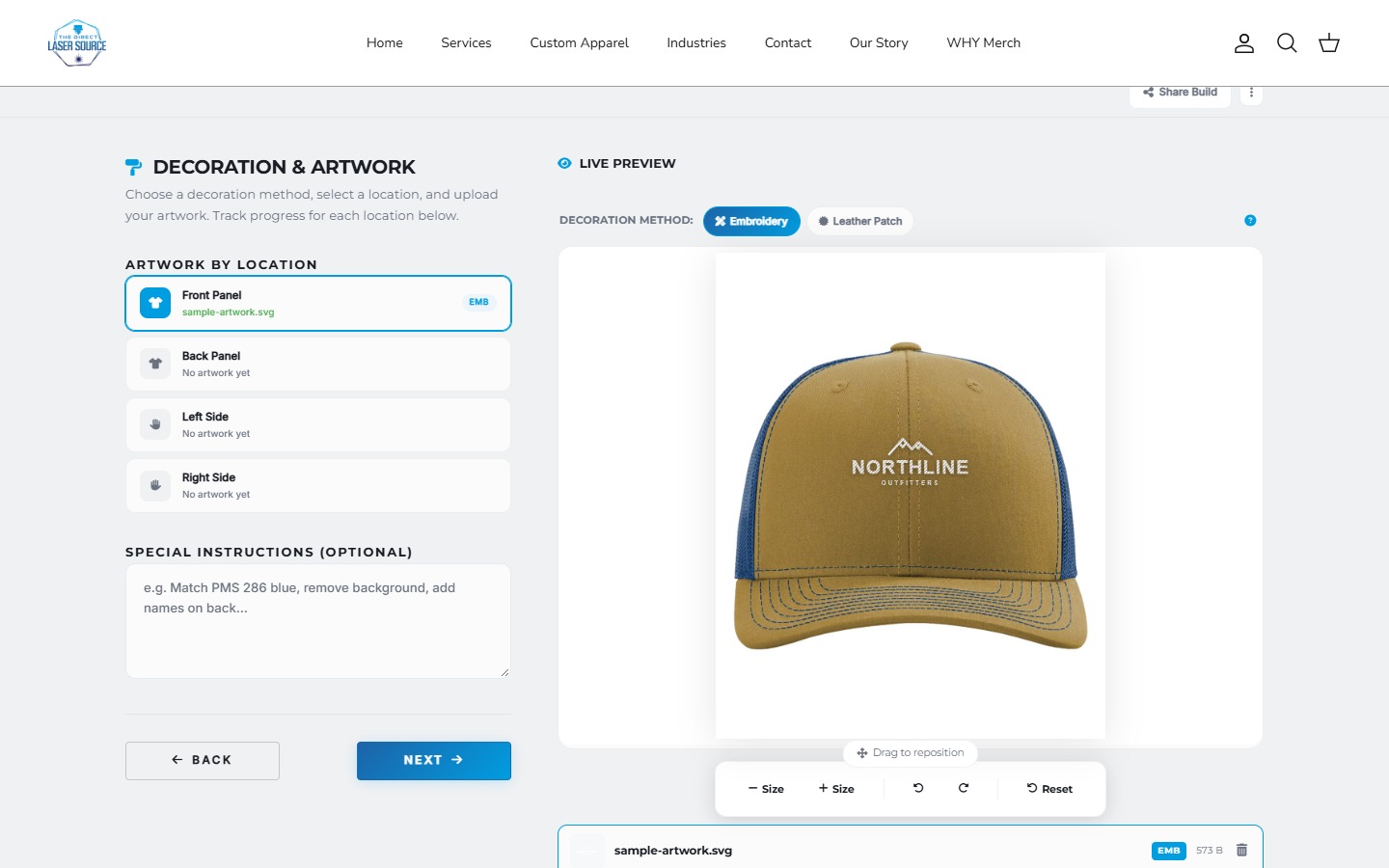
The Direct Laser Source screens show garment and color selection, artwork placement and decoration previews. They illustrate different inputs in the ordering journey, not proof of a completed paid order.
Direct Laser Source projectDependent product choices.
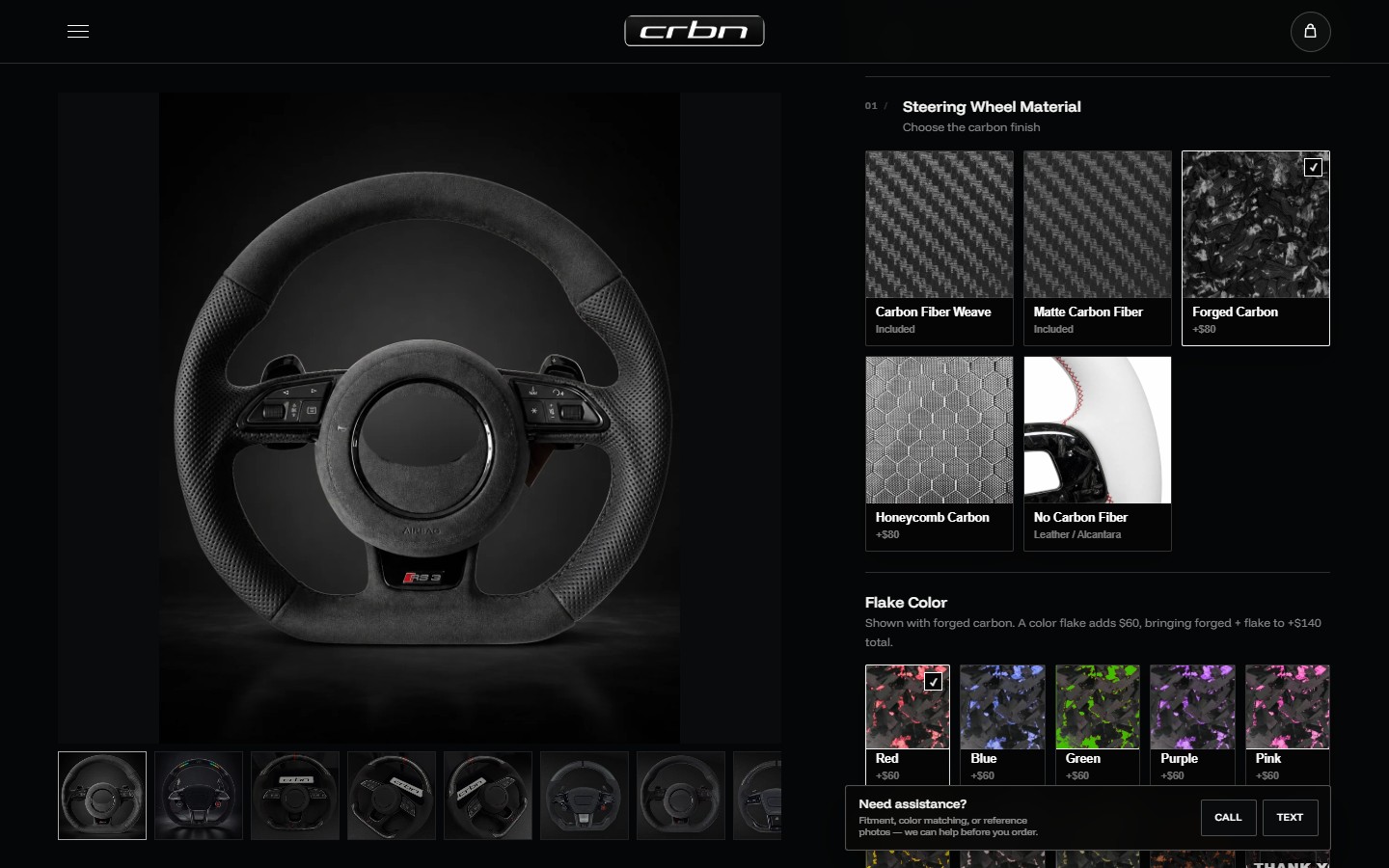
CRBN's wheel configuration presents materials and product-specific choices. When a selection becomes incompatible, the rules need to handle the earlier value as well as the visible control.
CRBN projectOnce the records and rules are clear, compare a product options app with a custom builder. That is the implementation decision; this guide is the earlier choice about what your configuration needs to represent.
Check what the merchant receives.
The correct item. Identify the intended variant, quantity and any separately charged products.
The customer details. Preserve the personalization, artwork references and placement information with the relevant item.
The agreed amount. Confirm that changed quantities, paid extras and discounts behave consistently along the purchasing path.
The exceptions. Check unavailable combinations, invalid input and changes that make an earlier selection incompatible. Review the downstream records with approved test data.
If an existing setup loses choices, use our missing cart-options diagnostic to separate missing data, hidden details and missing charges. Do not replace a working system before locating the failure.
Before adding more fields
Variant or custom option?
What is the difference between a Shopify option and a variant?
A native option is a category of choice, such as Size. A combination of option values, such as Navy / Medium, is a variant. “Custom options” often refers to extra inputs added by a theme or app. Ask how those inputs are stored and priced rather than assuming they create variants.
Can custom options track their own inventory?
A line item property alone does not create an inventory record. An app or integration may connect a choice to a product, variant or other stock system. Check that specific implementation before moving a limited-stock choice out of the catalog.
Can a line item property add to the price?
Not just by containing a fee or price label. The purchasing flow needs a supported way to charge the extra. Verify the actual cart and checkout behavior instead of judging it from the product-page estimate.
Do extra fields require a full custom builder?
No. Shopify's product-form documentation describes custom inputs, and an existing app or theme change may cover the requirement. Conditional rules, previews and connected pricing need more assessment. Define the requirement first, then compare the smallest implementation that works.
Does an artwork preview mean the file is ready for production?
No. A preview helps communicate appearance or placement. Production can require original files, measurements, artwork checks or process-specific preparation. Define those outputs separately; the DLS screenshots here demonstrate the editor, not a verified production-file pipeline.
Bring one product and its choices.
Share what customers select, what changes the price and what your team needs to receive. We can scope the configuration from there.
Sources and scope
Shopify documentation checked October 24, 2026. The garment example is illustrative. Project images show recorded interfaces; displayed prices are not current quotes. Northline artwork is fictional sample artwork, not a client endorsement.