Mobile-first website design: what to check
A mobile-first website starts with what someone needs to do on a small screen: understand the service, choose a product, book, or contact you. It is not just a smaller desktop layout, and a good-looking first screen is not a complete test.
Keep the useful content, not the desktop arrangement.
Responsive design adapts one website to different screen sizes. Mobile-first is a design approach: decide what the small-screen journey needs, then expand the layout where space allows. Neither requires a separate mobile domain.
Google uses a site's mobile content for indexing and ranking. Retain important descriptions, headings, links, and image text when simplifying the layout. Content can sit in usable accordions; do not require a click just to fetch the primary information. Google explains mobile-first indexing.
Make the words and controls usable.
Read a complete paragraph on a phone without zooming. Check long service names, prices, menus, close buttons, and form errors. A font-size setting alone does not establish readability: line length, contrast, spacing, and the actual device also matter.
For important buttons, we recommend aiming for a generous touch area around 44 CSS pixels square or larger where practical. That is a design recommendation, not the universal WCAG minimum. WCAG 2.2's Level AA target-size criterion uses 24 by 24 CSS pixels with specified exceptions, including spacing and inline links. See the W3C target-size explanation.
Test the journey beyond the homepage.
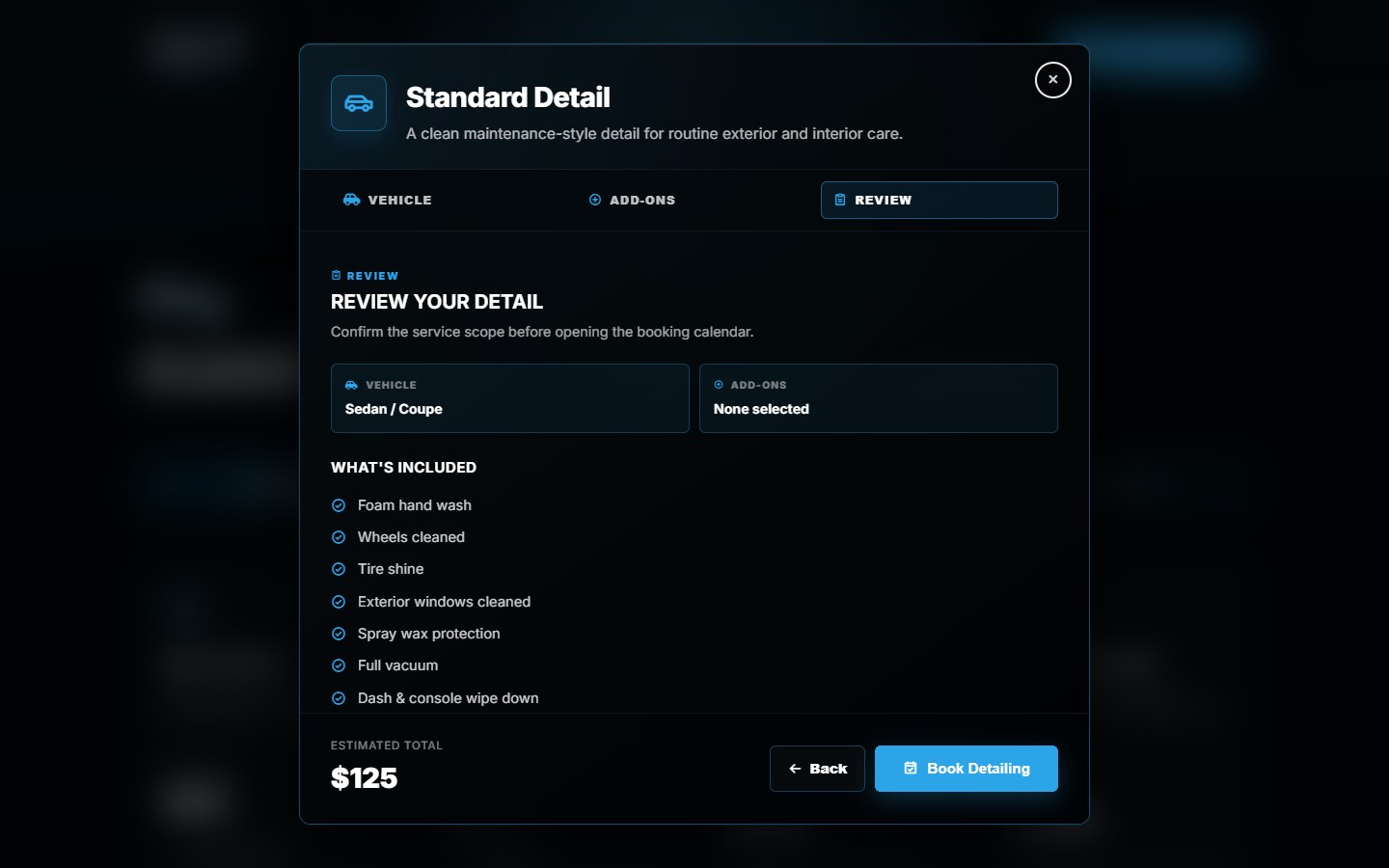
In the Canario Detailing project, the customer chooses a package, vehicle, and extras, then reviews the scope before continuing to Wix booking. Those choices need to remain understandable across the entire flow, not just the opening screen.
Use the project review below to identify what a phone layout must preserve: the chosen vehicle, selected extras, estimate, and next step. Repeat the selection, back, and booking handoff on a real phone. Appointment availability and final confirmation belong to the booking system.
Measure loading, response, and layout stability.
A universal two- or three-second rule cannot tell you how many customers your business lost. Check a fresh visit on a realistic connection, then open the menu and interact with the page. Watch for blank content, delayed controls, and text or buttons moving as media loads.
Use PageSpeed Insights to separate lab diagnostics from field data where available. Core Web Vitals cover loading, interaction response, and visual stability. A good score does not prove the booking or form works, and Google does not guarantee top rankings from good scores.
A practical phone review.
- Open the site in portrait and landscape; read the service and price information.
- Open and close the menu, then follow a useful service or product link.
- Check enlarged text and zoom without losing important controls.
- Use the form keyboard and check labels, errors, and what happens after submission.
- Check whether the fixed header or a floating button covers the next action.
- Try a changed selection, the back button, and the final booking or ordering handoff.
These checks identify work to investigate; they are not a full accessibility audit. For broader scope, read our website design mistakes guide or redesign SEO checklist. A connected service flow may need booking website development, not only a visual refresh.
Start with the part that needs to work better.
Share your current URL, the customer task, and where the experience breaks down.
Discuss your website