Shopify / Wholesale ordering
Shopify B2B without Plus
Compare native B2B, wholesale apps and custom ordering around the way your customers actually buy.
You do not need Plus just to sell B2B.
Shopify's native B2B is available on Basic, Grow and Advanced as well as Plus; Starter and Retail are excluded. You can combine retail and B2B in one store or use a separate B2B store. See Shopify's B2B overview.
The April 2026 release expanded access to company profiles, payment terms and wholesale ordering. Older advice that native B2B always requires Plus is outdated. That does not mean every wholesale app is redundant, or that a custom apparel builder is now included.
Compare three jobs, not three labels.
| Approach | Start here when | Verify before choosing |
|---|---|---|
| Native Shopify B2B | Business accounts buy a defined assortment at agreed catalog prices. | Your plan, catalog assignments, payment rules and existing app compatibility. |
| Wholesale app | A specific pricing, account or operational requirement remains unmet. | A demonstration using your buyers and rules, checkout behavior, support and recurring cost. |
| Custom ordering | The order needs a connected configuration, artwork or external-data workflow. | Which parts stay native, which tools can be retained, and how the final order reaches checkout or review. |
These can coexist. A business login, a garment configurator and a supplier-stock connection solve different problems. Document the missing behavior before buying another tool or commissioning a replacement.
Count catalogs before comparing subscriptions.
On Basic, Grow and Advanced, the limit is three active catalogs across all B2B markets, not three per market. Those catalog features require new Shopify Markets. Plus supports unlimited B2B market catalogs and direct catalog assignment to a company or location.
Deposits and partial payments remain Plus-only. Contextual storefront and checkout customization through Markets require Advanced or Plus. Use the current plan comparison when checking a proposed setup.
Write down which buyers share a price list and which need individual agreements. “Three customer groups” is not enough detail to prove a fit: assignment, assortment, currency and exceptions all need checking. Do not assume a tag-based app setup transfers unchanged.
Twenty-four garments is not always one pricing tier.
Shopify's native B2B quantity rules and volume pricing operate per variant. Sizes or colors cannot simply be pooled to qualify for that variant's minimum or price break. See quantity rules and volume pricing.
| Customer selection | Native volume-pricing result | Separate requirement to evaluate |
|---|---|---|
| 24 medium shirts | The medium variant reaches the 24-unit threshold. | Any decoration or artwork charges. |
| 12 medium + 12 large | Each variant has 12 units; neither reaches 24. | A shared 24-piece decorated-job price, if that is how the merchant quotes. |
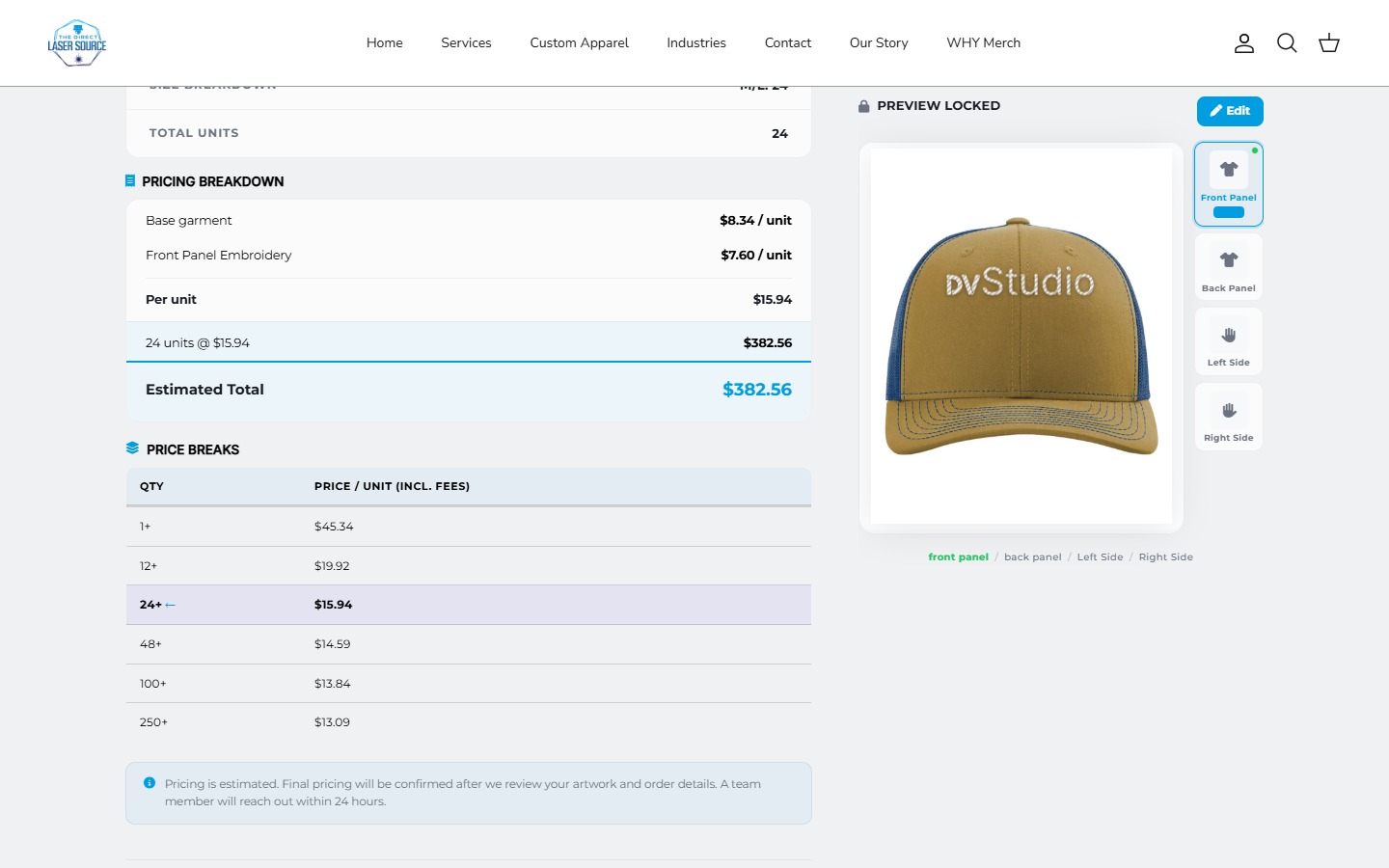
Ask whether the business discounts each SKU, a style across sizes, all garments carrying the same artwork, or the entire order. These are different rules. A quick-order grid can make quantities easier to enter without changing how the price is calculated.
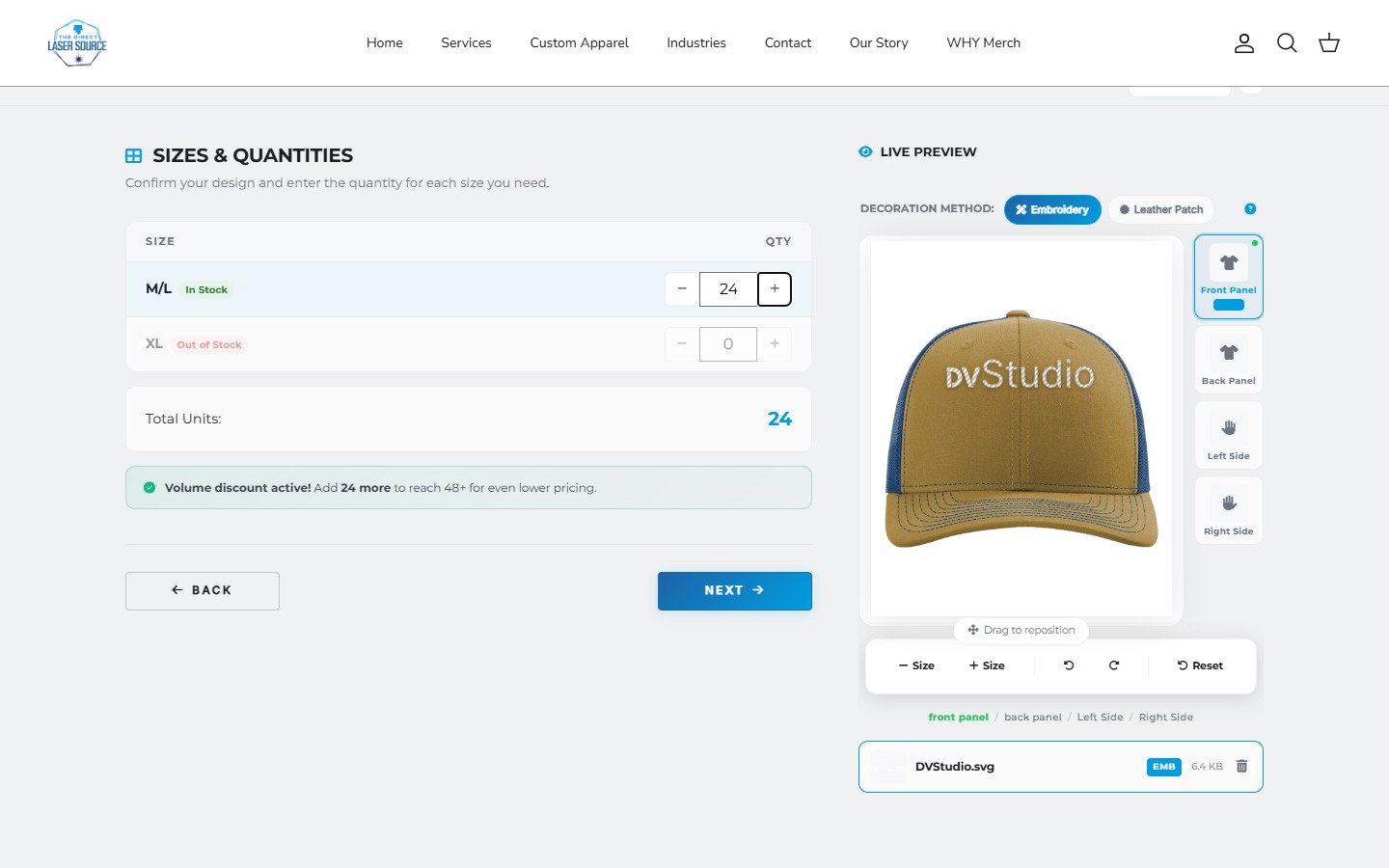
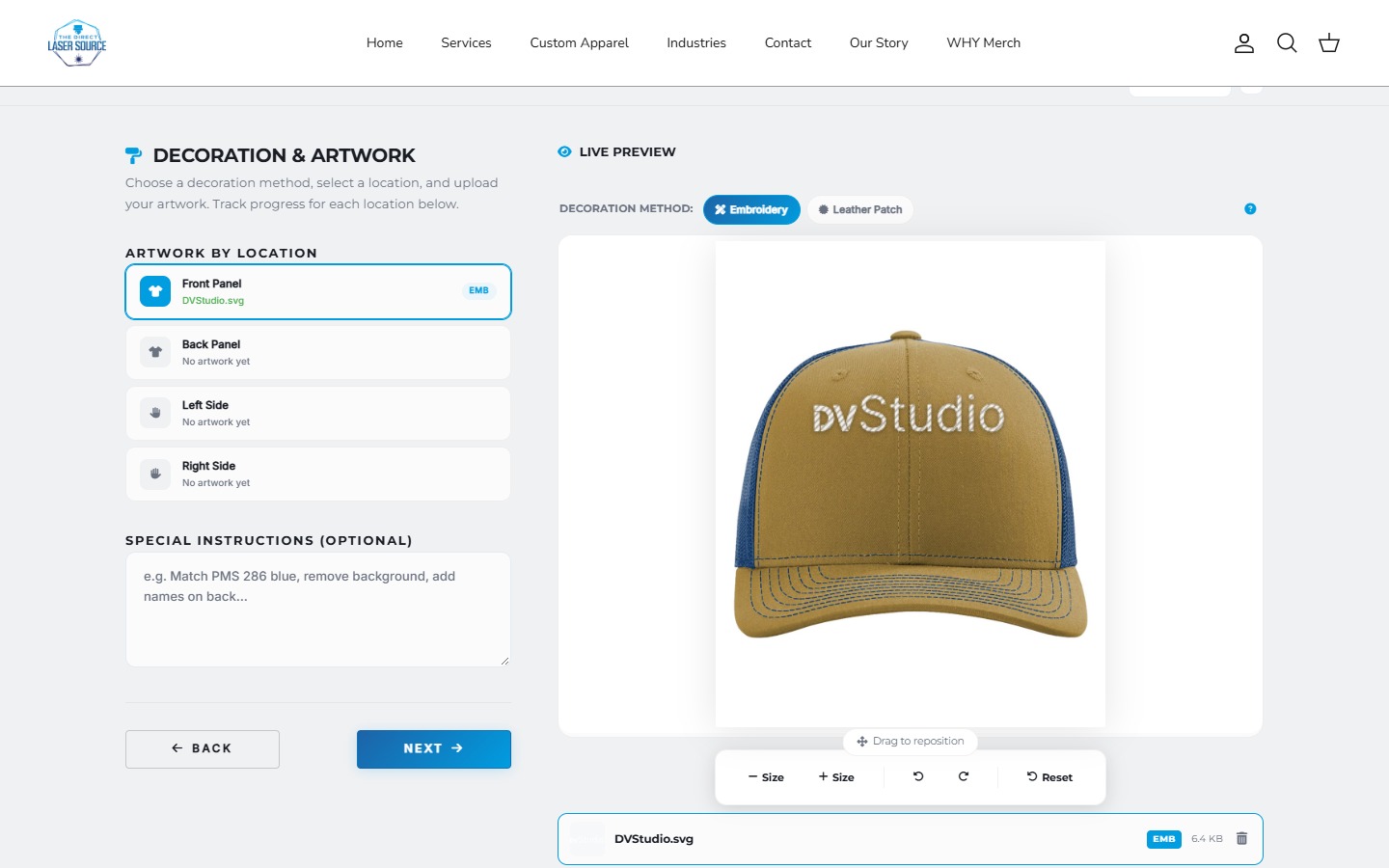
Our Direct Laser Source project illustrates custom garment selection, artwork and estimates. The screenshots above are not evidence of a native B2B company portal. The bulk apparel ordering guide covers that separate workflow in more detail.
Order review does not automatically require an app.
Native B2B can submit every order from a company location as a draft for merchant review. In that flow, payment is not collected at the initial checkout. The merchant confirms the order before collecting payment through the supported route. Shopify documents the checkout-to-draft behavior.
List what your review must approve: the commercial price, artwork, stock, delivery date or all four. Saving a draft is not the same as approving production, reserving supplier inventory or taking payment. Conditional review rules need their own scope.
Test the replacement before removing an app.
B2B requires companies, company locations and customer accounts rather than legacy accounts. Some apps and features are incompatible; for example, B2B does not support accelerated checkouts such as Shop Pay. Review Shopify's requirements and limitations against the actual store.
- Map the current behavior. Export or document price assignments, active rules, integrations and app-owned data before changing them.
- Use representative buyers. Check an approved business, a different company location and a retail visitor. Confirm product access and prices do not leak between them.
- Follow a complete order. Compare product, cart and checkout prices; test mixed sizes, minimum quantities, shipping and the review or payment route.
- Check operations. Verify the expected order data, invoice details, staff workflow and external handoff using an agreed test procedure.
- Plan the rollback. Identify what can be restored, who owns the cutover and how in-progress orders will be handled. Remove the old app only after acceptance.
A duplicate theme can help test presentation, but it does not isolate company records, catalogs or other store-level data. Treat those changes as a separate migration, not a theme-only experiment.
Compare the full operating cost.
Native B2B features are included on supported plans, but that does not make implementation free. Account setup, data cleanup, theme work, testing and ongoing maintenance still need an owner. Shopify also notes that applicable variable platform fees can differ for B2B and retail orders in its pricing considerations.
Compare the actual subscription or app quote plus migration and support, not a single monthly headline. A small native setup may be sufficient; a working app may be worth retaining. Custom development should answer a named, tested gap.
Before you switch
Wholesale questions
Can retail and wholesale use the same Shopify store?
Yes, Shopify supports a blended store. Plan the business sign-in and verify that wholesale access and prices stay separate from the retail journey. A shared storefront does not remove that testing requirement.
Does native B2B include an apparel design editor?
Do not equate account pricing with a product builder. Artwork placement, decoration previews, supplier data and job-based estimates are separate requirements to evaluate against existing tools.
Should I uninstall my wholesale app now?
Not just because native features are available. First map what the app owns, demonstrate the replacement with representative buyers and orders, and agree on a rollback. Avoid changing live pricing while relying only on a theme preview.
Start with one real wholesale order.
Share the store, buyer groups and pricing rules. We can help separate native setup from the custom work that is actually needed.
Sources and scope
Documentation checked October 20, 2026. Plan features can change. The quantity example is invented, not a test order or a client pricing claim. Project images show our existing custom ordering work; this guide does not claim a completed native Shopify B2B migration.
- Shopify B2B overview
- April 2026 non-Plus release
- Features by plan
- Quantity rules and volume pricing
- Checkout settings and draft review
- Requirements, pricing and compatibility
Related: Shopify design and development / Product-options apps versus custom builders.